Reinstall Windows 11 without losing data is a technique for resolving common issues and giving your computer a fresh start. If you are stuck with constant system problems, slow speeds, or want the best for your buggy computer, reinstalling Windows 11 could help.
I believe many users are put off by the very idea of losing files, applications, and settings that are considerably important to them. But Microsoft has made it easier for the user to implement this by providing an option for reinstalling the operating system without erasing the hard drive.
You do not have to worry anymore because you’re at the perfect hub! This guide will explain how to proceed through a clean and secure reinstallation of Windows 11 and, as such, can help fix problems on the system, optimize it, or simply provide a clean slate for a new start while preserving the user’s data. Proceed with these two straightforward and manageable solutions.
Page Contents
Reinstall Windows 11 Without Losing Data
Solution 1: Reset PC & Reinstall Windows 11 via Recovery Option
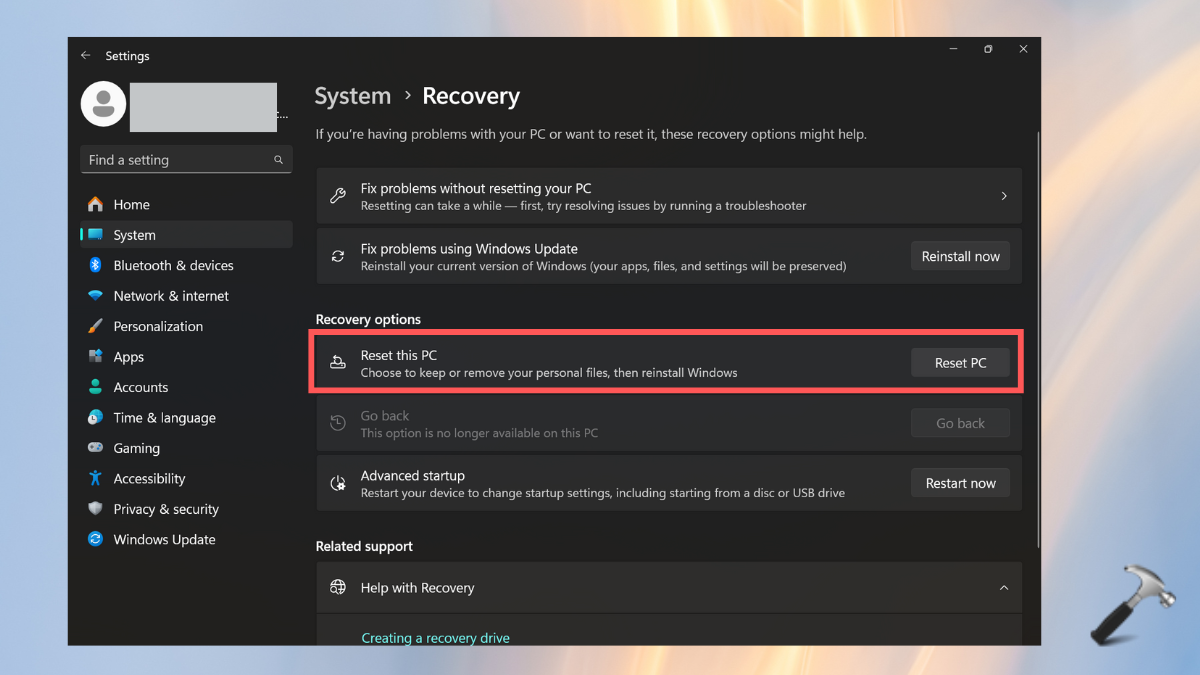
1. Go to the Windows Settings app and choose the System section from the left panel.
2. Select “Recovery” and then tap on the “Reset PC” option in the Recovery option section.
3. Choose the “Keep my files” to not lose the data.
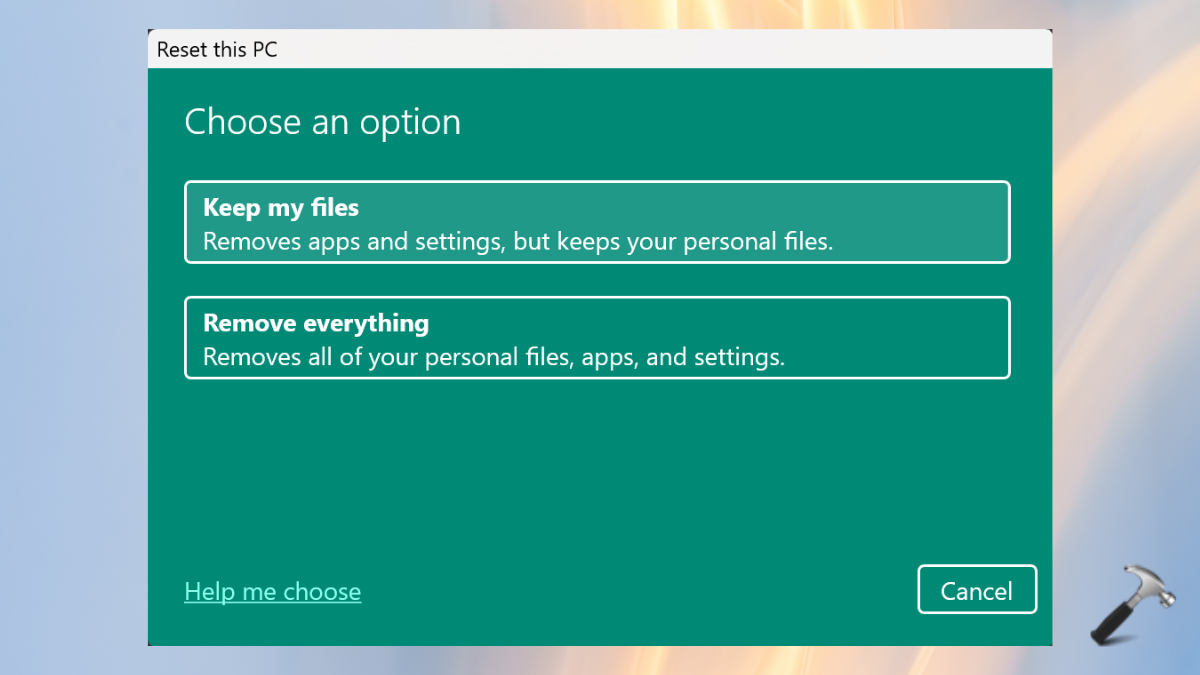
4. Now, follow the on-screen instructions to reinstall the Windows on your PC.
Solution 2: Reset PC and Reinstall via Recovery Mode
1. On your PC’s sign-in screen, tap the switch icon and select “Restart”. Make sure to hold the “Shift” keyboard key until the system restarts in the Recovery Mode.
2. Select the “Troubleshoot” option.
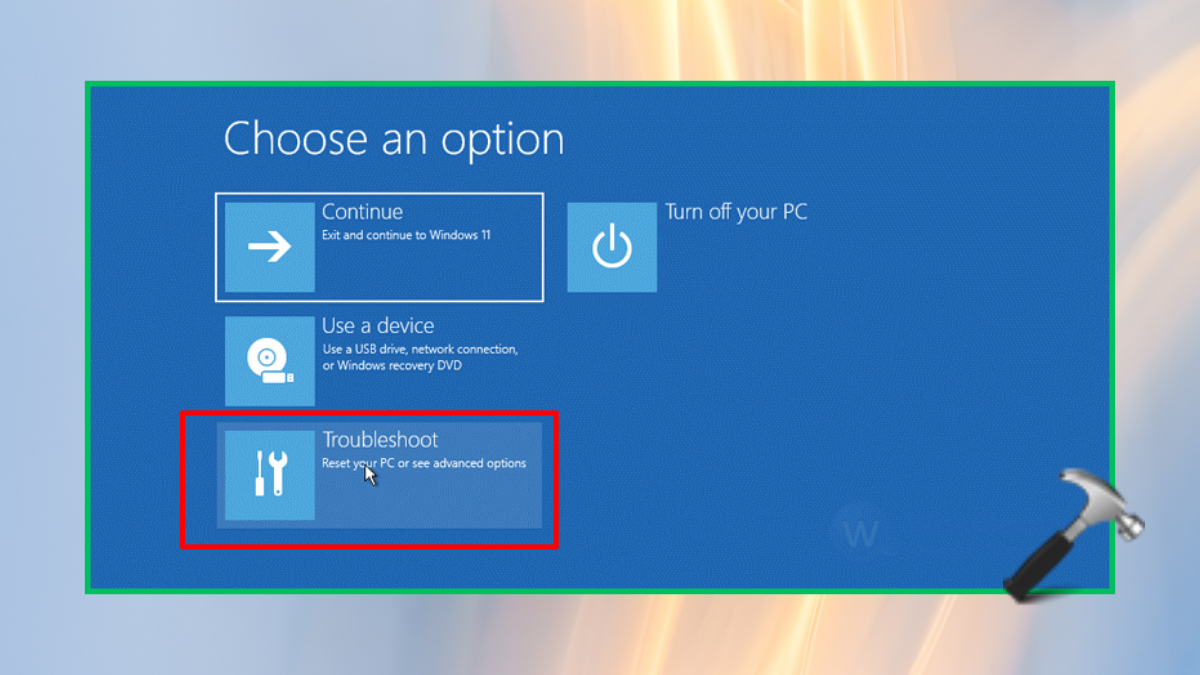
3. Choose the “Reset this PC” option from the menu.

4. In the next screen options, select “Keep my files” to avoid losing your data.

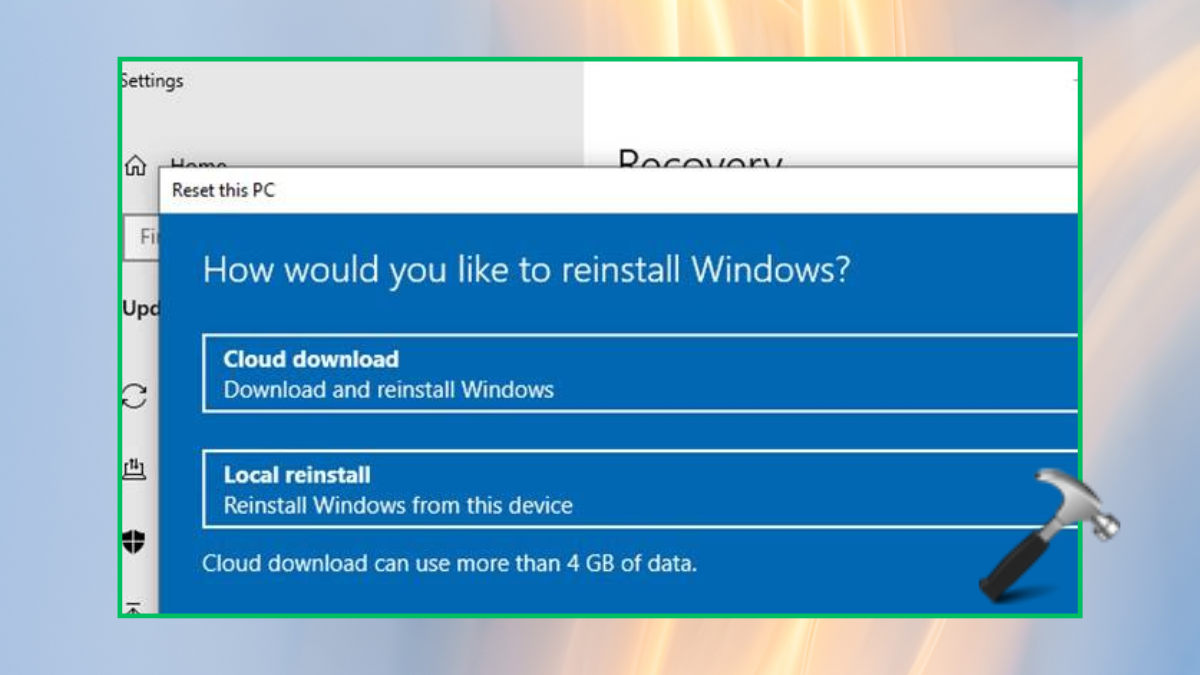
5. Now, choose either “Cloud download” or “Local reinstall” as per your preference.
These two solutions are easy and effective to reinstall Windows 11 on your system without losing the valuable data of yours.
If you are stuck in any step while performing these solutions, leave a comment below. We would love to help you out.
That’s it!