We all know that Microsoft has deeply integrated the OneDrive feature in Windows 8.1. This has allowed you to sync the files on a your system with this cloud-storage service. Also Metered Connections is the new feature introduced in Windows 8. Metered Connection is the condition when your operator charges you with direct proportionality of the amount of data used so far.
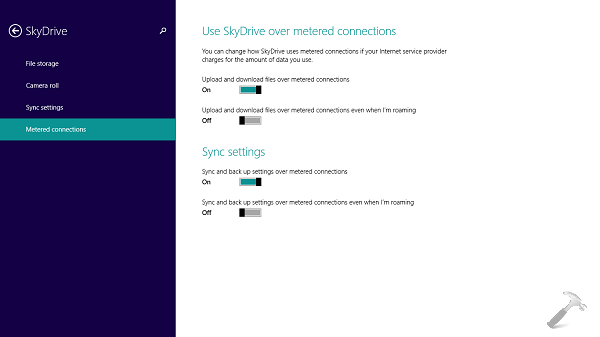
If you are keep using OneDrive with Metered Connections, then you might have to pay extra to your operator for extra data consumption. Thus it would be a great idea though to turn off OneDrive over Metered Connections. You can configure the settings of OneDrive for Metered Connections from PC Settings -> OneDrive -> Metered Connections. However, if that doesn’t works, try out the steps mentioned below to turn on or off the OneDrive feature for Metered Connections.
How To Disable OneDrive For Metered Connections In Windows 8.1
Registry Disclaimer: The further steps will involve registry manipulation. Making mistakes while manipulating registry could affect your system adversely. So be careful while editing registry entries and create a System Restore point first.
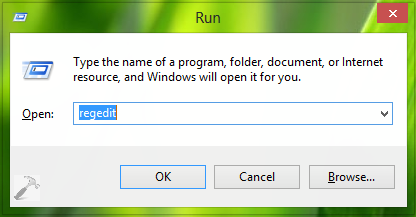
1. Press  + R and put regedit in Run dialog box to open Registry Editor (if you’re not familiar with Registry Editor, then click here). Click OK.
2. Navigate here:
HKEY_CURRENT_USER\Software\Microsoft\Windows\CurrentVersion\OneDrive\Controller
(in earlier builds of Windows 8.1, go to HKEY_CURRENT_USER\Software\Microsoft\Windows\CurrentVersion\SkyDrive\Controller)
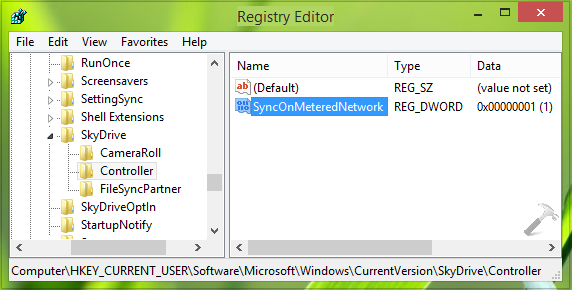
3. In the right pane of this location, look for the DWORD named SyncOnMeteredNetwork which must having the default Value data as 1; this Value data is for enabling the OneDrive feature over Metered Connections. In order to disable it, double click on the same DWORD, you’ll got this:
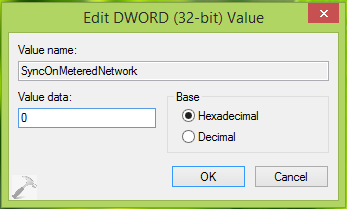
4. In the above shown box, change the Value data to 0 and click OK. You may now close the Registry Editor and reboot the machine to get results.
That’s it!