When you’re using BitLocker on the drive on which Windows is installed, it has to work in collaboration with Boot Configuration Data (BCD) file settings. Since BCD is security sensitive file, BitLocker verifies it every time you boot the machine. When you’re making crucial changes to system, BitLocker would go into recovery mode. More about BCD validation with BitLocker can be discovered in this Microsoft documentation.
However, while using BitLocker on one of our Windows 10 Pro running system, we got following error:
Page Contents
The BitLocker Setup failed to export the BCD (Boot Configuration Data) store. You may need to manually prepare your drive for BitLocker.
Do not turn off or restart your computer until this process has been completed.
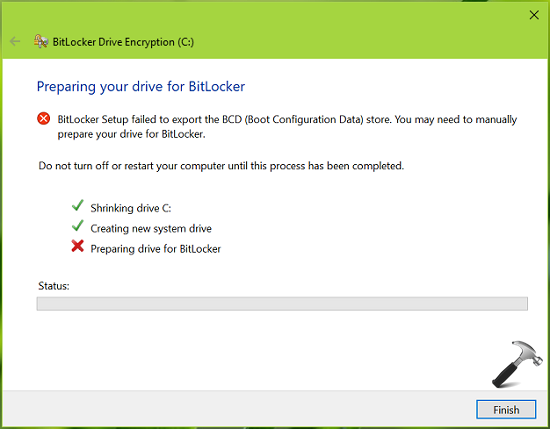
If you’re also facing this issue, we’ll try to resolve it here. First thing you need to make sure that BCD file is not corrupted. A corrupted BCD file may cause the validation error for BitLocker. Hence, you can recreate the BCD files by using commands mentioned in this fix. If the issue still persists, you can try the BCD edits as mentioned in this support article.
In case, if you find no help from above mentioned suggestions, try the simple solution mentioned below. This should help you to get over this problem.
FIX: ‘BitLocker Setup Failed To Export The BCD Store’ In Windows 10/8/7
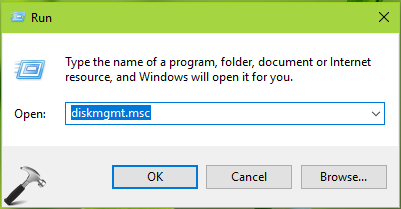
1. Press  + R to open Run and type diskmgmt.msc in it to open Disk Management. Click OK or press Enter key.
2. In the Disk Management window, right click on target drive on which you’re using BitLocker and select Mark Partition as Active option.
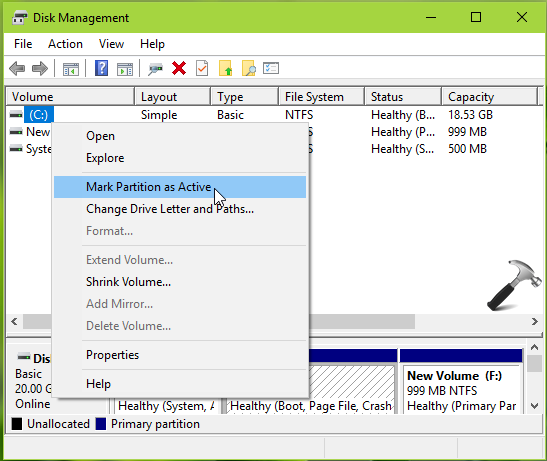
3. In the confirmation prompt appeared next, select Yes. Close Disk Management.
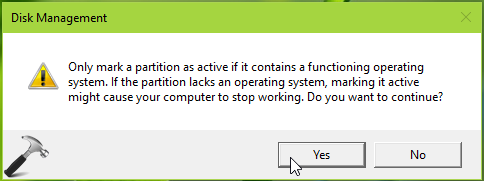
Now retry with BitLocker Drive Encryption tool and this time it should work without any error.
Hope this helps!
Also read: How to use 256-bit drive encryption & cipher strength for BitLocker.