When you are using Windows 11 and suddenly you receive REGISTRY_ERROR stop code, this article should help you to fix it. Worth to mention here that stop codes or BSOD errors are something which happens suddenly. They may appear without any notice and usually require a detailed troubleshooting. In some cases the troubleshooting may help, while in other cases you may need to reset your system to fix that error.
Recently, a client reached to me in forum with this stop code. You can check out the screenshot for this stop code error.
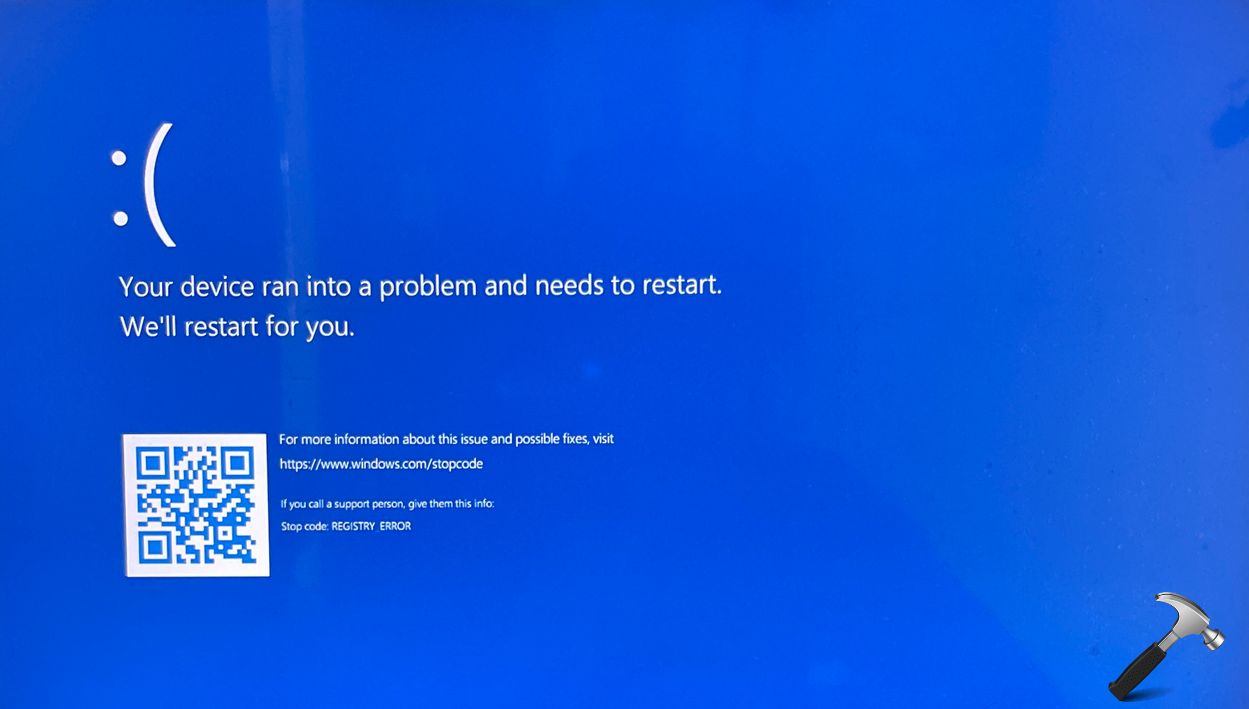
The client received this error code and after that the system was stuck at this screen. In few moments, the system restarted back. In these series of events, the current session of user was lost, resulting extra work to restore the session. Additionally, this problem reappear after few reboots.
Here’s how you can deal with this error code.
Fix: REGISTRY_ERROR stop code or BSOD in Windows 11
Boot into advanced recovery options using this guide.
Here, you can choose Startup Repair to try the system automatic repair. This should automatically fix up the issue.
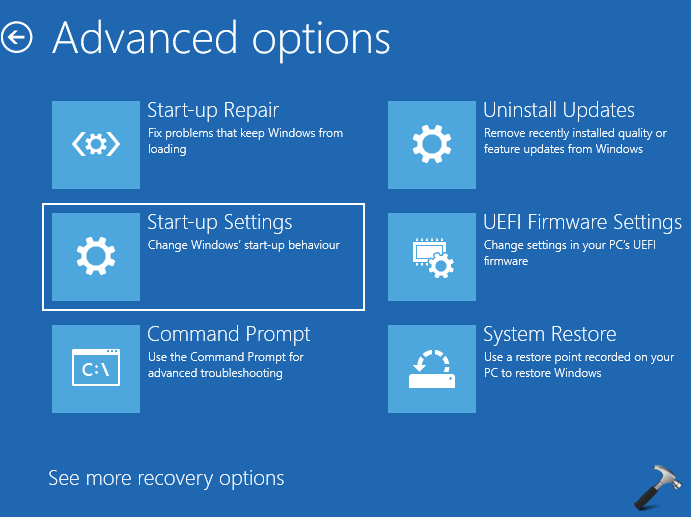
If Automatic repair doesn’t helps, select Startup Settings > Restart, after restarts, you’ll see a list of options. Select 4 or press F4 to start your PC in Safe Mode. Or if you’ ll need to use the internet, select 5 or press F5 for Safe Mode with Networking. Then try to log in normally and see if issue is resolved.
Else, if you installed the system update before this issue, you can use Uninstall Updates to uninstall recent updates (note that you can uninstall both quality updates and feature updates).
You can also use the already created System Restore point, you can restore it to that state using the System Restore under Advanced options, but the data since the establishment of the restore point will be lost. So if you agree to this, you can proceed further.
If issue still persists, you can reach out to Microsoft Community. The BSOD experts available there will analyze the dump files on your system and share you the exact root cause and its fix to completely get rid of this problem.
Hope something helps!