If you see the message Copilot is not available in your region in Windows 11, it means the feature hasn’t been officially rolled out, or your system settings don’t match a supported region.
Page Contents
Fix Copilot Is Not Available in Your Region
Microsoft Copilot is available in many countries, but it still has regional restrictions and rollout limitations. Below are the most effective ways to fix this issue and access Copilot.
Fix 1: Change Region Settings in Windows
Incorrect region settings are a common cause.
1. Open Settings and click on Time & Language. Choose Language & Region.
2. Set Country or region to a supported location (e.g., United States).
3. Restart your PC.
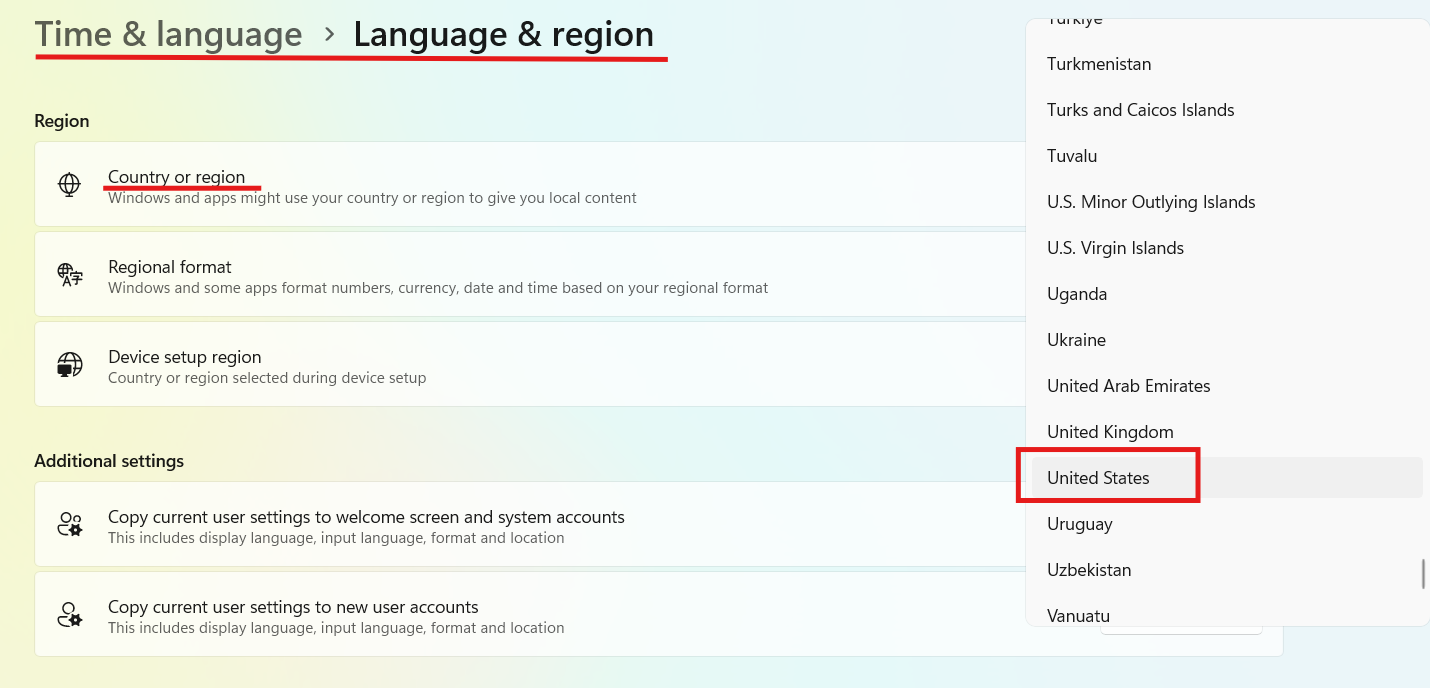
Copilot checks your system region before enabling access.
Fix 2: Turn Off VPN or Use a Stable One
VPNs can both fix and cause this issue.
1. First, disable your VPN and try again.
2. If Copilot still doesn’t work, use a reliable VPN like:
- NordVPN
- ExpressVPN
- Connect to a supported region (e.g., US or UK)
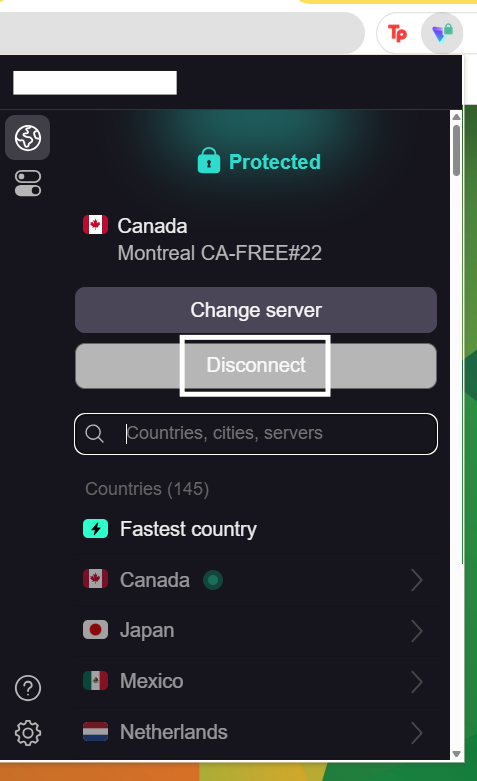
Some VPN IPs are blocked or flagged, which prevents Copilot from working properly.
Fix 3: Match Microsoft Account Region with System Region
Copilot uses both your account region and IP location.
1. Go to your Microsoft Account settings.
2. Ensure the region matches your Windows region.
3. Sign out and sign back in.
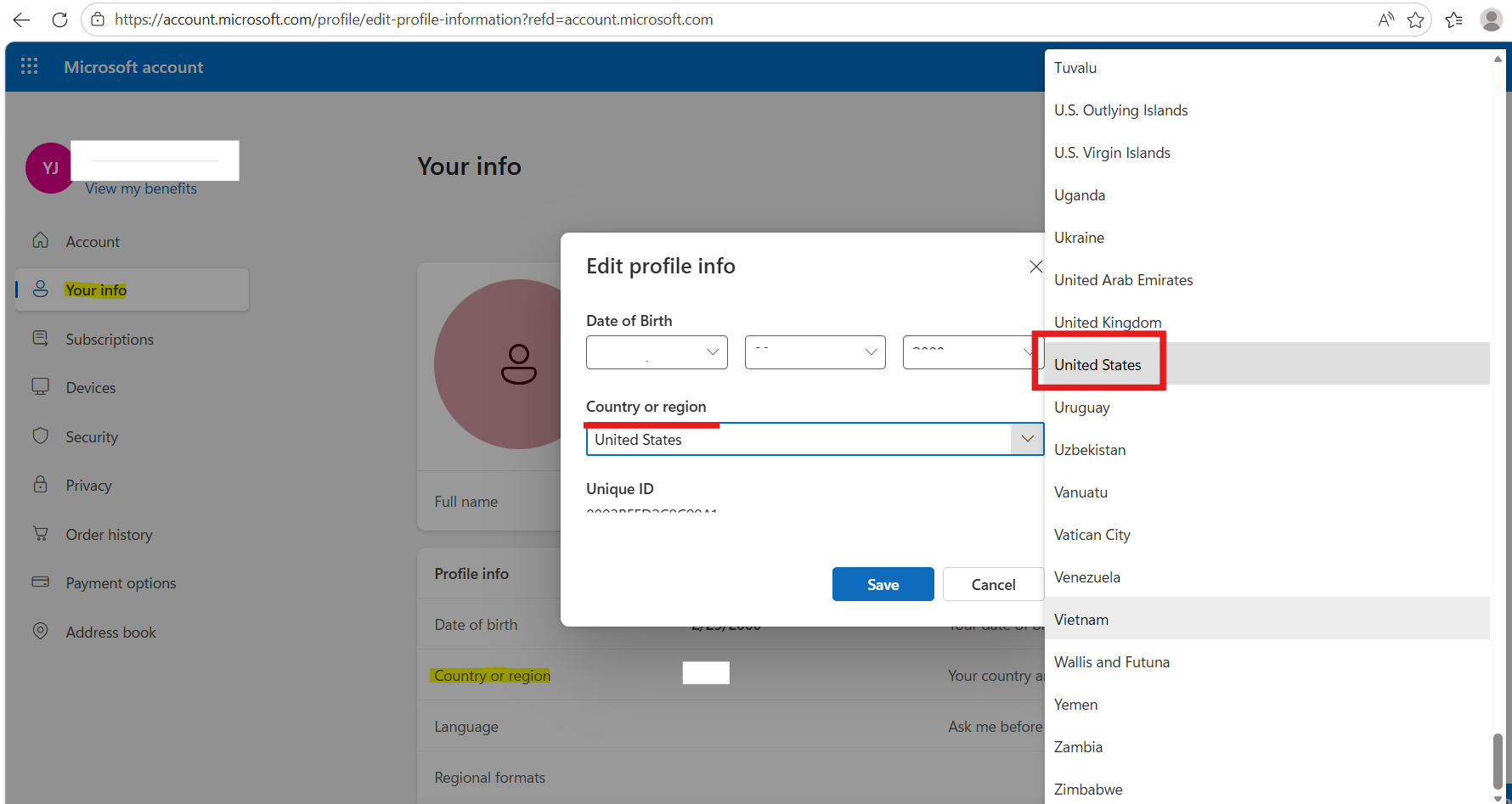
If these don’t match, Copilot may stay blocked.
Fix 4: Update Windows to the Latest Version
Copilot is only available on updated builds.
1. Open Settings and click on Windows Update.
2. Click Check for updates.
3. Install all pending updates.
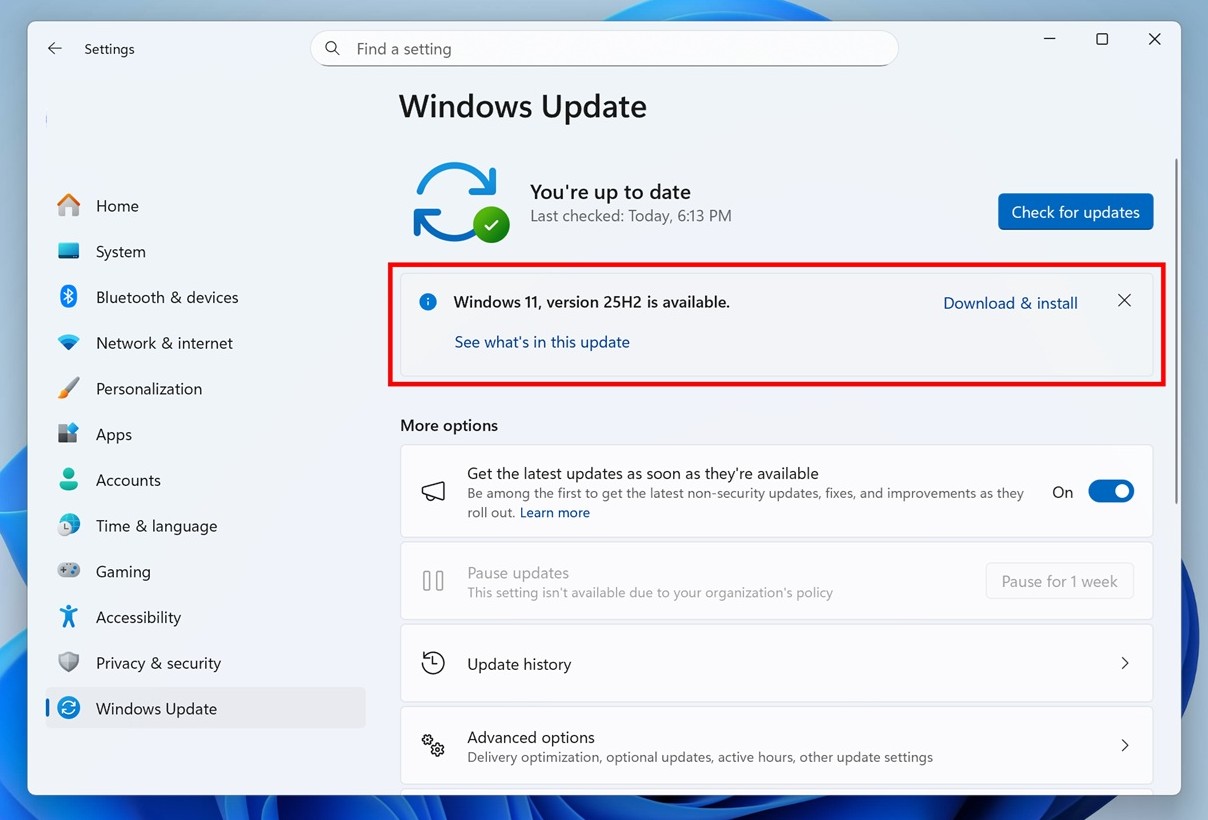
Older builds may not support Copilot at all.
Fix 5: Use Edge Copilot as a Workaround
Even if Windows Copilot is unavailable, you can still use it in a browser:
1. Open Microsoft Edge.
2. Visit Copilot (via sidebar or web).
3. Sign in and use it normally.
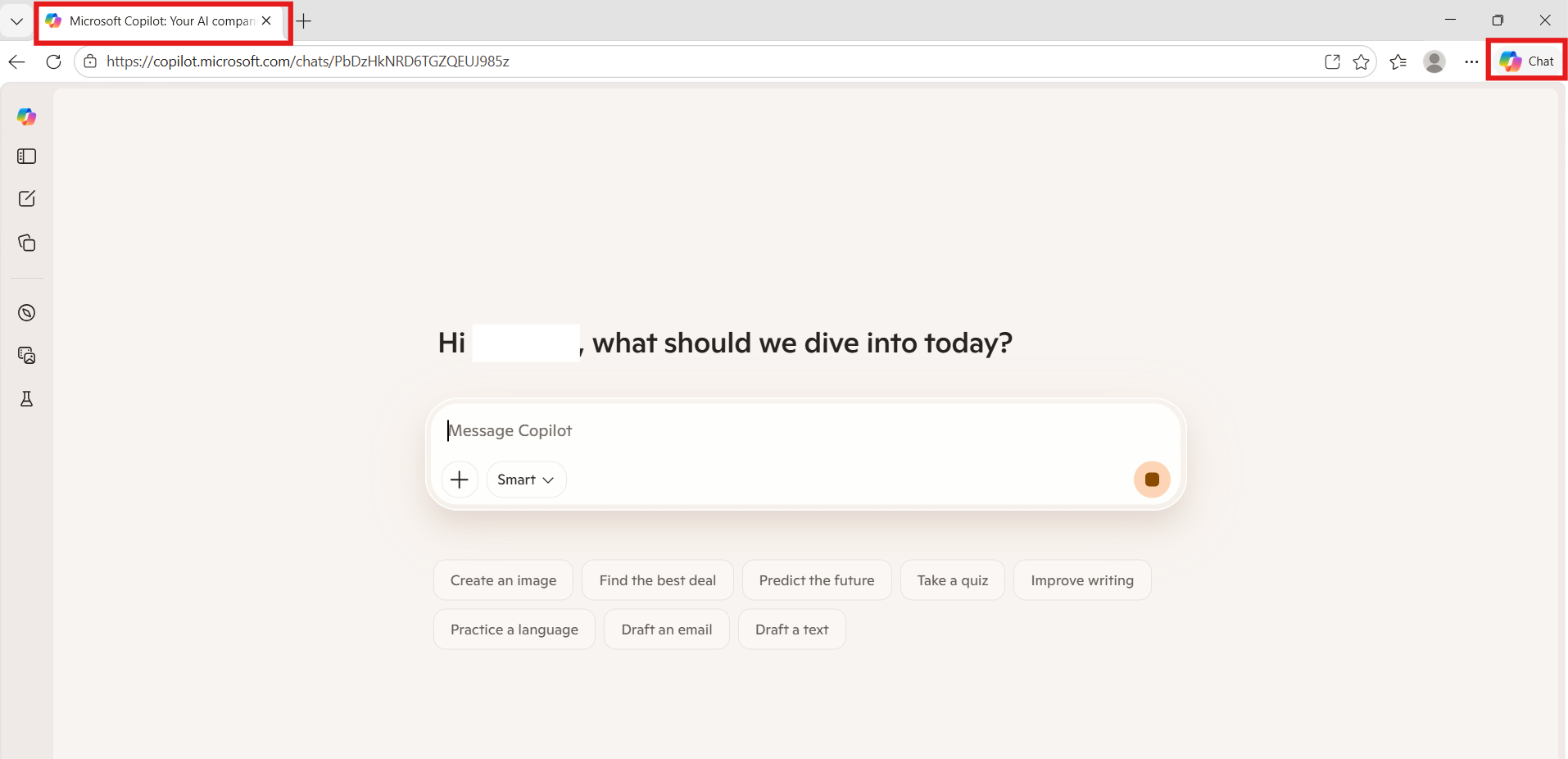
Windows Copilot is essentially a web-based interface, so Edge provides a reliable alternative.
Important Note
Copilot availability depends on:
- Region
- Windows version
- Account settings
Some regions (like parts of Europe or restricted countries) may still not support it fully.
Summary
The Copilot not available in your region error is usually caused by region mismatch, VPN issues, or outdated Windows versions. Changing your region settings, aligning your Microsoft account, updating Windows, or using a proper VPN are the most effective fixes. If Windows Copilot still doesn’t work, using it through Edge is a reliable alternative.