Using Claude AI with Microsoft Excel allows you to analyze data, generate formulas, and automate repetitive spreadsheet tasks using natural language. Instead of manually writing complex formulas or interpreting datasets, Claude can help you summarize, clean, and transform data instantly.
Page Contents
How to Use Claude AI for Microsoft Excel
If you’ve large or complex spreadsheets, Claude AI makes your work easy as a professional. Below are the most important ways to set up and use Claude AI in Excel effectively.
Install Claude for Excel Add-in
To use Claude directly inside Excel, you need the add-in.
1. Open Excel.
2. On the toolbar, choose Add-ins.
3. Search for Claude (Anthropic).
4. Click Add and install it.
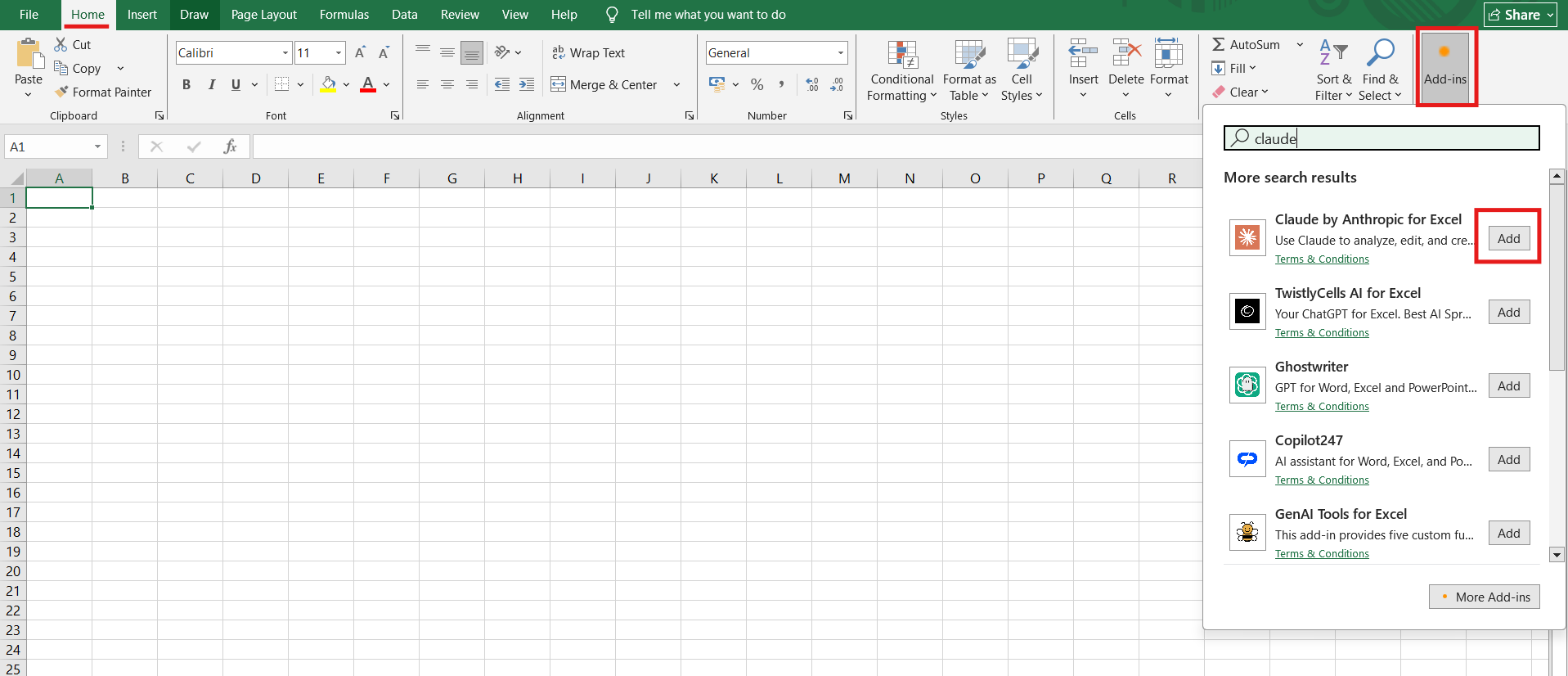
After installation, a Claude sidebar will appear inside Excel for interaction.
Sign In and Enable Claude
Once installed:
1. Open Excel and launch the Claude panel.
2. Sign in with your Claude account.
4. Grant required permissions.
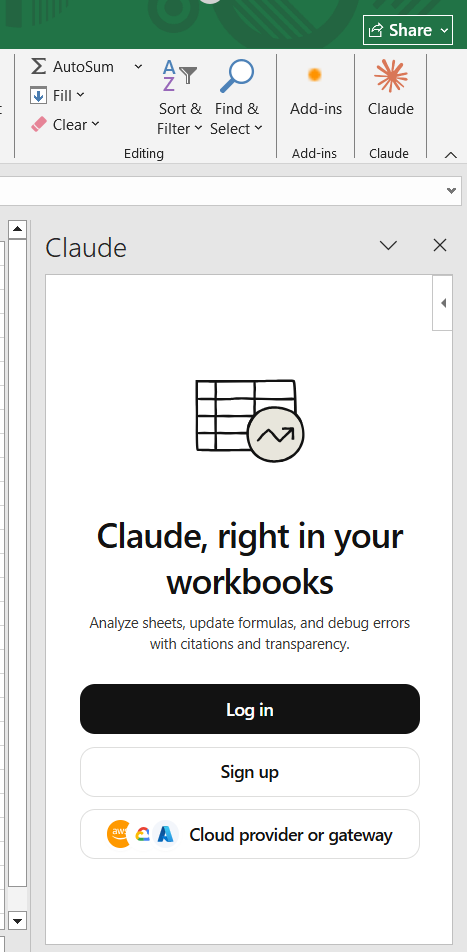
This connects Claude to your workbook so it can analyze and edit data.
Use Claude with Copilot (Microsoft 365)
If you have Microsoft 365 Copilot:
1. Open Excel and go to Home, and then open Copilot.
2. Open the AI panel.
3. Select Claude (if available in model options).

You can now interact with your spreadsheet using prompts directly.
Analyze Data Using Natural Language with Claude AI for Microsoft Excel
Claude lets you work with Excel using simple prompts:
- “Summarize this dataset.”
- “Find trends in this column.”
- “Explain this formula in simple terms.”
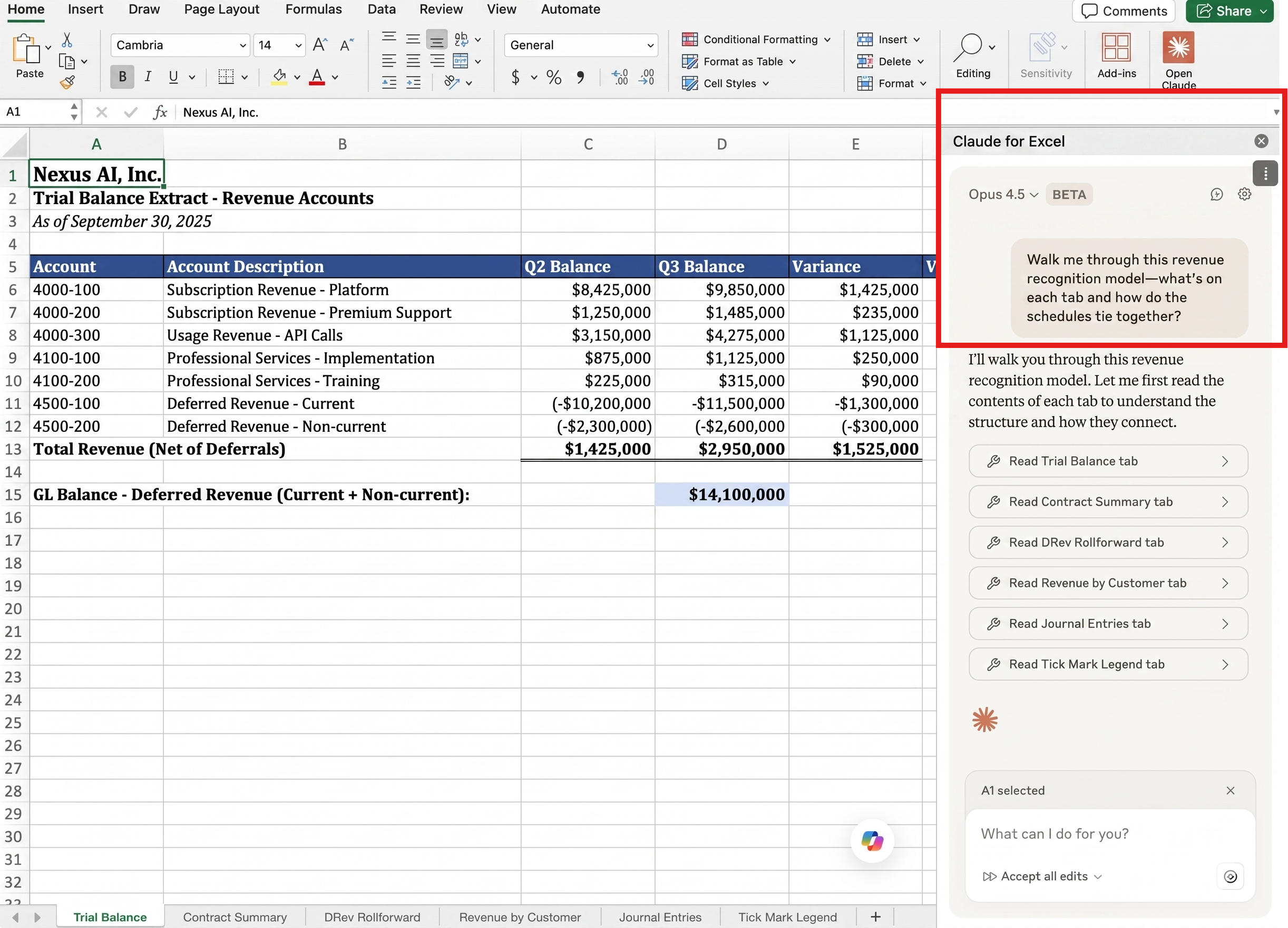
It can quickly interpret data, identify patterns, and provide insights without manual analysis.
Generate and Fix Formulas
Claude can create and debug Excel formulas:
- Generate formulas like VLOOKUP, IF, and SUMIFS.
- Fix broken formulas.
- Convert complex formulas into plain English.
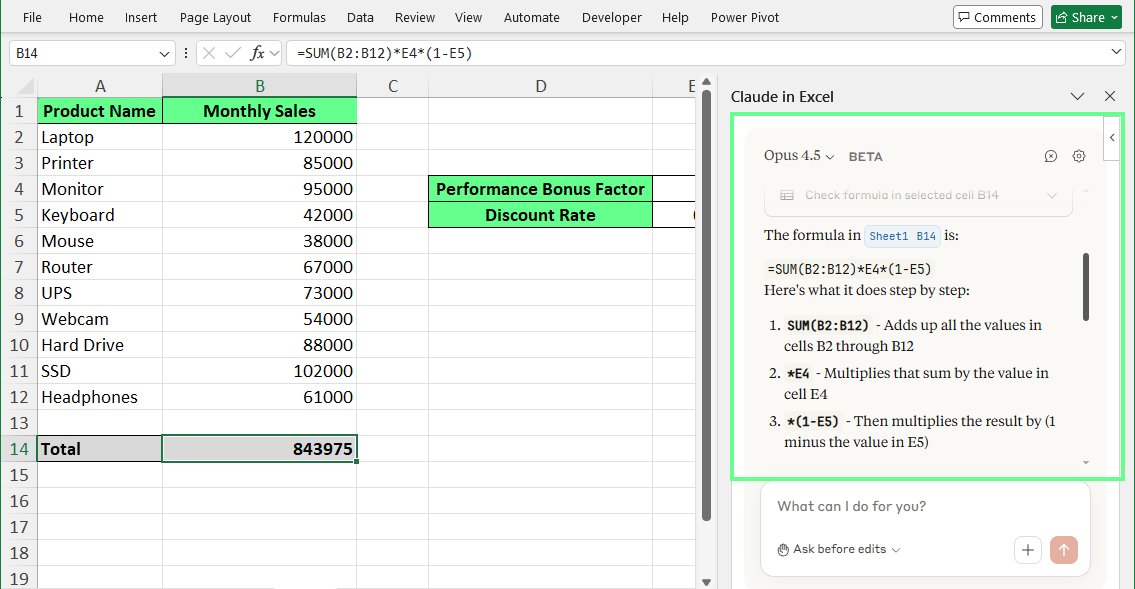
This reduces errors and saves time when working with advanced Excel functions.
Automate Data Workflows
You can use Claude to automate repetitive tasks:
- Fill in missing data.
- Create reports.
- Generate new columns based on rules.
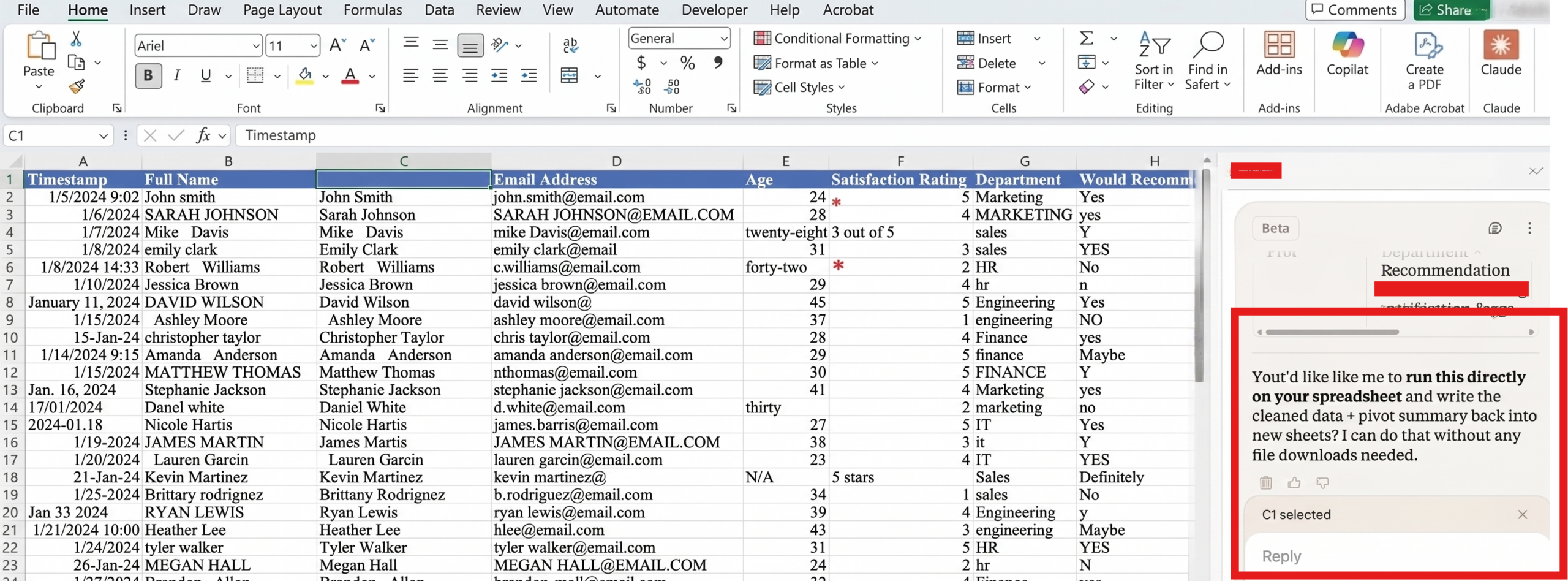
It can also integrate with tools to auto-generate data when new rows are added.
Claude AI transforms Excel into a smart, AI-powered workspace. By installing the add-in or using Copilot integration, you can analyze data, generate formulas, and automate tasks using simple prompts. This not only saves time but also improves accuracy and productivity when working with spreadsheets.