

If you want to secure your data on Windows, you can use Encrypting File System (EFS). This file system will help you to encrypt your data in files and folders. However, the EFS technology is not available on Windows basic editions such as Windows Home etc. To use this technology, you need to upgrade to Pro, Enterprise, Education editions.
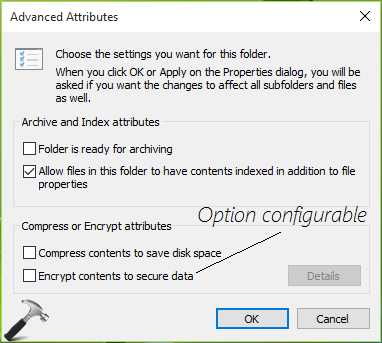
To enable encryption on files and folders, you can do it via this way. Right click on the folder you want to encrypt and select Properties. On the property sheet, at General tab, click Advanced. Under Advanced Attributes, check Encrypt contents to secure data option.
However, some users may found that ‘Encrypt contents to secure data‘ option is greyed out or disabled as shown below. As a result of this, you can no longer encrypt data on folders. This makes the data less secure and easily accessible to others.
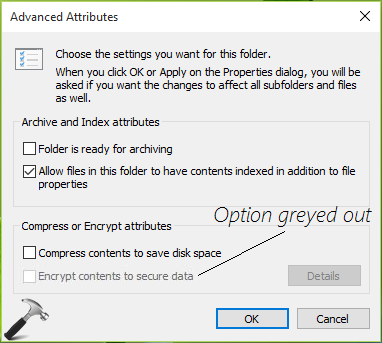
If you’re also having this issue, you can try below mentioned steps to allow the option to be configured.
Page Contents
Fix ‘Encrypt contents to secure data’ greyed out in Windows 11/10
Manual steps
Registry Disclaimer: The further steps will involve registry manipulation. Making mistakes while manipulating registry could affect your system adversely. So be careful while editing registry entries and create a System Restore point first.
1. Press Windows + R and put regedit in Run dialog box to open Registry Editor (if you’re not familiar with Registry Editor, then click here). Click OK.
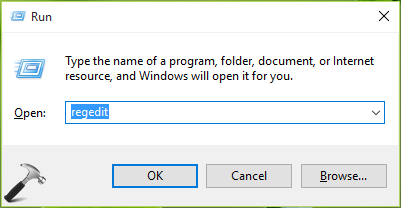
2. In the Registry Editor window, navigate to following registry key:
HKEY_LOCAL_MACHINE\SYSTEM\CurrentControlSet\Control\FileSystem
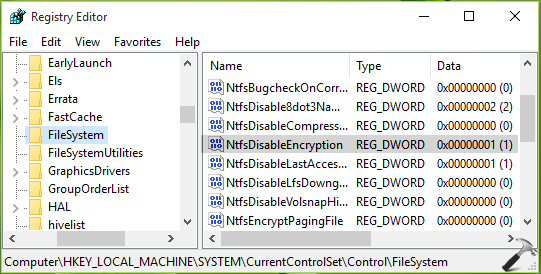
3. In the right pane of FileSystem registry key, look for NtfsDisableEncryption registry DWORD (REG_DWORD). Double click on the DWORD to modify its Value data:
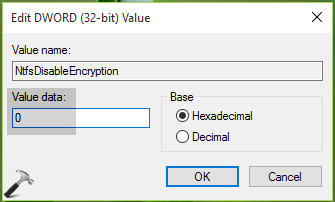
4. Finally, set the Value data to 0. Click OK. Close the Registry Editor and reboot the machine. After restarting your system, you’ll be able to configure the option and can encrypt contents inside the folder.
Video fix
Here’s a video fix to illustrate above steps and help you more:
Hope this helps!




Computer is running Windows 10 Pro 20H2 / OS build 19042.1052 / Windows Feature Experience Pack 120.2212.2020.0
I tried the NtfsDisableEncryption registry suggestion – value was already hex 0. Changed to 1, rebooted, “Encrypt contents to secure data” still grayed out. Changed back to zero, rebooted. “Encrypt contents to secure data” still grayed out.
Tried secpol.msc (local security policy editor) – under Public Key Policies/Encrypting File System, confirmed “No Encrypting File System Policies Defined” .
Tried services.msc and changed EFS to Automatic start, rebooted, “Encrypt contents to secure data” still grayed out.
Multiple reboots, but rrgardless of the above changes, this option remains still grayed out.
my lap top dont have file system.how i do this.please help me
plese help me