Microsoft has finally released the much-awaited Windows 11 2025 Update—the annual update for Windows 11 in year 2025. Just after the announcement was made, few hours later, the update started rolling out the public. According to Microsoft, the Windows 11 2025 Update will be delivered in an optimized way using servicing technology.

Page Contents
Windows 11 2025 Update (Version 25H2) now available
The general availability ensures that the update is offered via various update channels such as Windows Autopatch, Microsoft 365 admin center, Microsoft Software Download Service and via Visual Studio Subscriptions.
Microsoft earlier made it very clear that Windows 11 2025 Update will be a small update from Version 24H2, delivered through enablement package (eKB). Windows 11, versions 24H2 and 25H2 share a common core operating system with an identical set of system files. As a result, the new features in Windows 11, version 25H2 are included in the latest monthly quality update for Windows 11, version 24H2 but are in an inactive and dormant state. These new features remain dormant until they are turned on through the enablement package, a small, quick-to-install master switch that activates the Windows 11, version 25H2 features.
The Version 25H2 update was previously released to Release Preview Insiders for testing. Now it is available to everyone.
What’s new in Windows 11 Version 25H2
Windows 11 Version 25H2 offers the recent innovations and features Microsoft has added to Insider builds.
Some of the features not enabled on Version 24H2, are now ready to use on Version 25H2:
- AI actions in File Explorer
- Click to Do (available in Copilot+ PC)
- Agent in Settings (available in Copilot+ PC)
The new features which makes it worth to upgrade to Version 25H2:
- Quick Machine Recovery
- Hotpatching for Windows client
- Improvements to Passwordless Login and includes support for 1Password provider
- Updates to Start Menu UI
- Wi-Fi 7 for enterprise connectivity
- Ability to remove select preinstalled Microsoft Store apps using policies
If you’re following our YouTube channel, we’ve already covered some of them earlier.
How to install Windows 11 Version 25H2
Install directly from Windows Update
As the update is now available to end users, you must spot this update in Windows Update section of Settings app.
When you go to Windows Update page, you must have Windows 11, Version 25H2 is available banner. Click on the Download & install button and the update will be installed. If the banner is still missing, make sure you’ve Get the latest updates as soon as they’re available option turned on.

Upgrade using Windows 11 25H2 ISO file
Version 25H2 ISO is available for download at Microsoft’s public software download website. Open your favorite browser and go to https://www.microsoft.com/en-us/software-download/windows11. Once the page is loaded, you’ll find that Current release is mentioned as Version 25H2.

Scroll down there and select ISO to download. Confirm this operation and generate the Windows 11 25H2 ISO link. You can follow steps in this guide, if further help required.
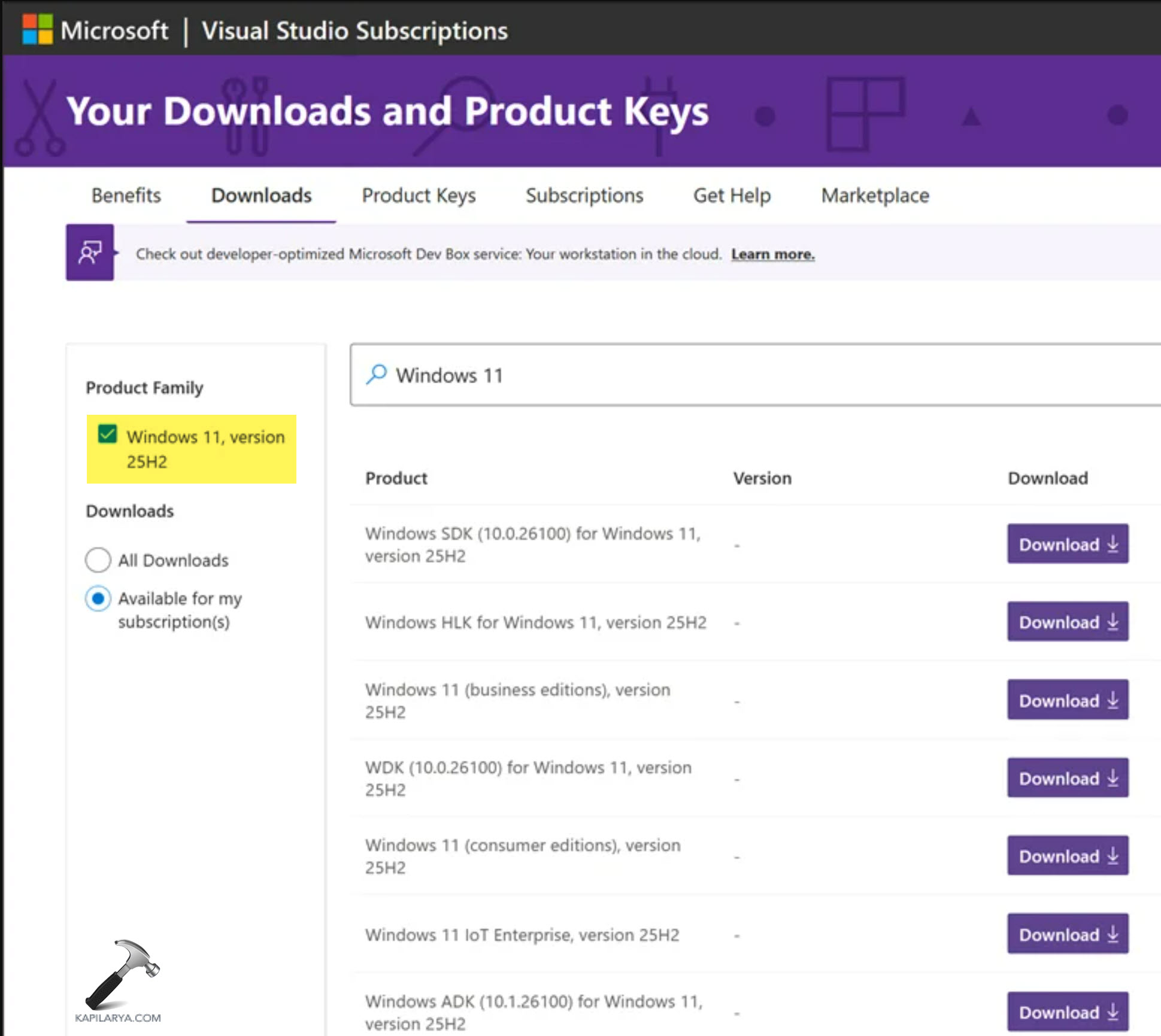
You can also download Windows 11 25H2 from your active Visual Subscription as well. Just head over to Downloads section and search for Windows 11 25H2.
Once you’ve Windows 11 25H2 ISO downloaded, follow this guide to upgrade from existing version.
That’s it!