

Recently one of the reader reported me that he is unable to activate his Windows 8 copy. He is constantly getting error 0x8007007B while attempting the activation. Here is the screenshot of the similar error taken on Windows 7:
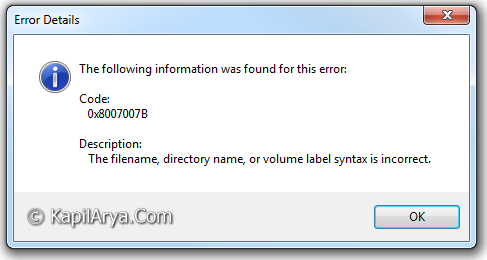
And also we all know that unless we activated Windows 8, we can’t enjoy its features comfortably. So by any how you have to fix this error to get uninterrupted access in Windows 8.
In this article, we’ll tell you how to fix this issue using a simple trick. So lets share it…
FIX : Getting Error “0x8007007B” For Windows 8 Activation
1. Press the  + R keys, and you’ll got the Run dialog box.
———————–OR————————
Open the Command Prompt with administrative privileges.
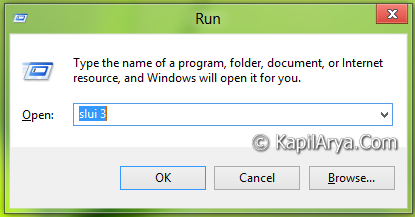

2. As shown above, type following command in both the cases:
slui 3
You must got this window, after applying above stated command:

3. Finally enter the serial key for the product, and it will definitely activate this time.

Some times the Windows copies downloaded, doesn’t asks the serial while installation. In that case this method can be pulled to activate Windows. However these cases are certain.
Hope you enjoy the trick!





FIXED! THNK U SO MUCH :xD
Gud tip, will try
THanks for article again Kapil.
Off topic: I have installed Windows 8 RTM by creating bootable USB, everything gone fine but when the stage of restart occurs , Windows again start the installation. I’m confused what to do plss help, thanks
^^ Remove USB immediately at first restart :)
Excellent tip. thanks a million
hi when I try to active windows 8 enterprise I get this Error: 0xC004F025 Access denied: the requested action elevated privileges
^^ Open Command Prompt with administrative privileges and try this command:
slmgr.vbs -rearm
done all above but still don’t worked!!
Nope sorry guys information it is not correct