

In Windows operating system, Remote Procedure Call (RPC) defines a technology that is used in communication for client/server programs. The RPC client application running on any system will use RPC protocol to connect with RPC server. The RPC server is something which clients to connect, process commands and allow data communication using RPC protocol.
The RPC based commands won’t be processed if the RPC based services or settings are misconfigured. This may create miscellaneous issues for clients. This article discusses one such issue which we recently came around.
When a client try to login and if RPC settings are not configured properly, following message will be displayed after client input their credentials:
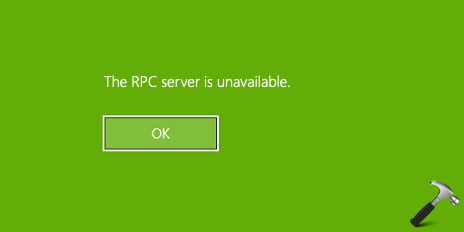
The message shows that somehow your system is unable to communicate with the RPC server via RPC protocol. If you’re also seeing this message while login, here is how you can fix the issue.
FIX: ‘The RPC Server Is Unavailable’ In Windows 11/10
Please try these steps:
1. Boot into Safe Mode, or if you’ve any other account on the system to which can login without this message, sign-in to that.
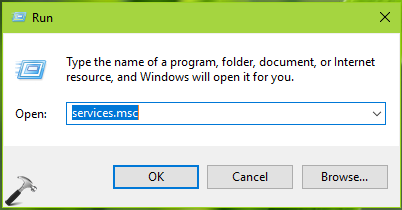
2. After login, press Windows + R and type services.msc in the Run dialog box, hit Enter key to open Services snap-in.
3. In Services snap-in window, scroll down and look out for Remote Procedure Call (RPC) service.
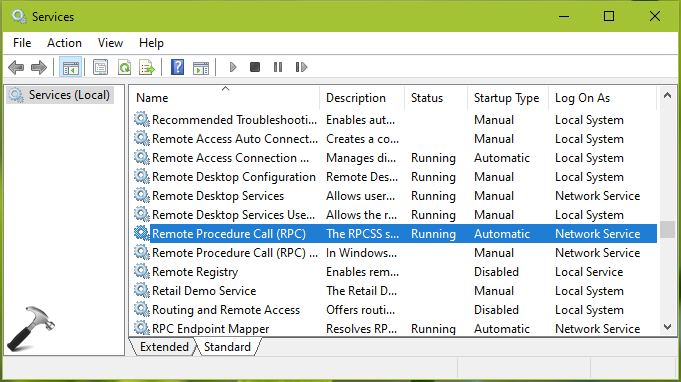
4. You need to ensure that this service is Running with its Startup Type set to Automatic. You can double click on the service and configure it as said.
5. Then you need to configure other services such as RPC Endpoint Mapper, Remote Procedure Call (RPC) Locator, DHCP Client to Running status along with Automatic Startup Type.
6. Close Services snap-in and reboot the machine.
7. In case, if you continue to face the problem, try creating a new user account may help you to resolve.
Hope this helps!
![Windows needs your current credentials [Fix]](https://www.kapilarya.com/assets/password_icon_1783831080.jpg)






You saved me! The DHCP client was stopped, how? I don’t know. But I was on the brink of throwing my laptop out the window because I was not able to connect to the internet, not even with an external adapter or my phone on usb thethering, thank god I saw that error “the rpc service is unavailable” that eventually brought me here.
^^ Glad to help 😎