

Earlier, we’ve have seen how to backup your files by creating a System Image, in following article:
How to create a System Image in Windows 10
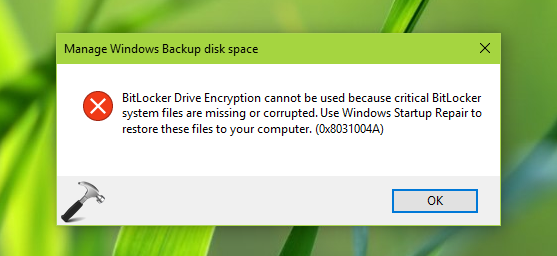
However following that guide, today I faced a strange problem while creating backup of files. In this case, I was trying to backup my files to an external drive but this error keep appearing and it doesn’t let me to initiate backup:
Page Contents
BitLocker Drive Encryption cannot be used because critical BitLocker system files are missing or corrupted. Use Windows Startup Repair to restore these files to your computer. (0x8031004A)
If you’ve the same problem, this is the article for you. First of all you are suggested to try these suggestions:
- In Services snap-in (run services.msc command to open this), make sure Volume Shadow Copy service is running
- Try renaming Windows Image Backup folder as suggested here
- Restore default libraries in File Explorer by right-click on Libraries and select Restore default libraries
- Perform Startup or Automatic Repair
If the issue still persists, try disabling Windows Recovery Environment (RE) for a while. The reason behind this logic is that sometimes BitLocker may transact Windows RE from system drive to some another drive. Hence this issue might be caused by missing Windows RE from its default location. Here is how to solve this problem:
FIX : BitLocker Drive Encryption Cannot Be Used Because Critical BitLocker System Files Are Missing Or Corrupted In Windows 10/8.1/8/7
1. Go to Desktop and press  + X keys, select Command Prompt (Admin) in the appeared menu.
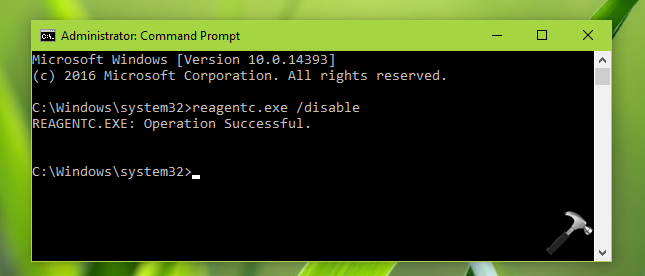
2. The Command Prompt will obviously open with C:\Windows\system32 folder (assuming Windows is installed on C:). Hence type reagentc.exe /disable and press Enter key. You should get Operation Successful message in return. This means you’ve now disabled Windows RE.
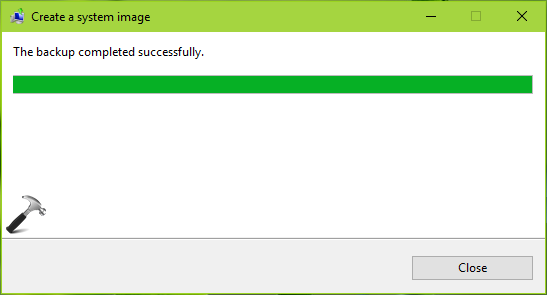
3. Now try to backup your files and this time it should work as shown below.
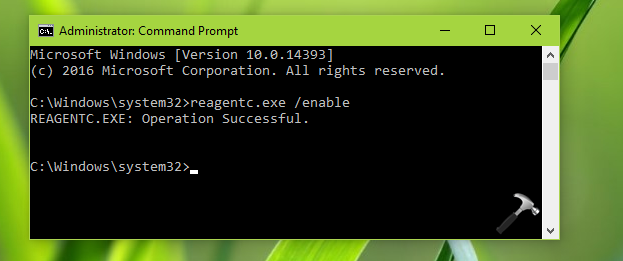
4. Finally, go back to Command Prompt window and this time type reagent.exe /enable and hit Enter. The Operation Successful message appearing next gives confirmation that Windows RE is enabled again or restored to its default state. Close Command Prompt.
In this way, by disabling Windows RE temporarily, you can bypass the error.
Hope this helps!





i found that by only deselecting “pictures” in my user Libraries backup setting, it works correctly, so i deleted it and then restored default Libraries. problem solved.
^^ Thanks for adding this, much appreciated 😊
after formart my laptop I cant open my excel files was increpet by bitloker