If you’re on Windows 11, and keep getting the Turn on virus protection notifications, this article is for you. When the Virus protection is actually turned off, these notifications are expected. But, when you have everything turned on in window security, still if you are receiving these notifications, you might be concerned about them.
Page Contents
‘Turn on virus protection’ keeps popping up in Windows 11
From recent past few weeks, we have seen a search in such kind of threads relating to the issue in user forums. In these cases, users reports that after starting their Windows 11 approximately 4 to 5 minutes later, they receive a notification. The notification mentions, to Turn on virus protection. Look at below image:
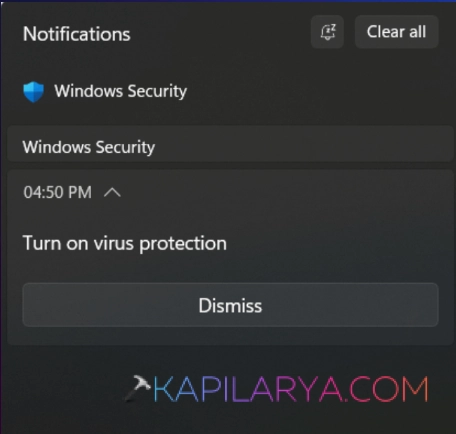
After this, when user goes to the Windows Security app to check, everything is in order. There are no pending actions from the Windows Security app itself. Still, these false notifications keeps appearing.
If you are also seeing the same problem on your system, you must check the protection indicators for Windows Security.
For this, you can use the following command in administrative Windows PowerShell:
Get-MpComputerStatus | Select-Object AMRunningMode,AMServiceEnabled,AntivirusEnabled,RealTimeProtectionEnabled,BehaviorMonitorEnabled,IoavProtectionEnabled,NISEnabled,IsTamperProtected,AntivirusSignatureLastUpdated
After executing this command, you will see and expected output like this, which is saying everything is set to true.
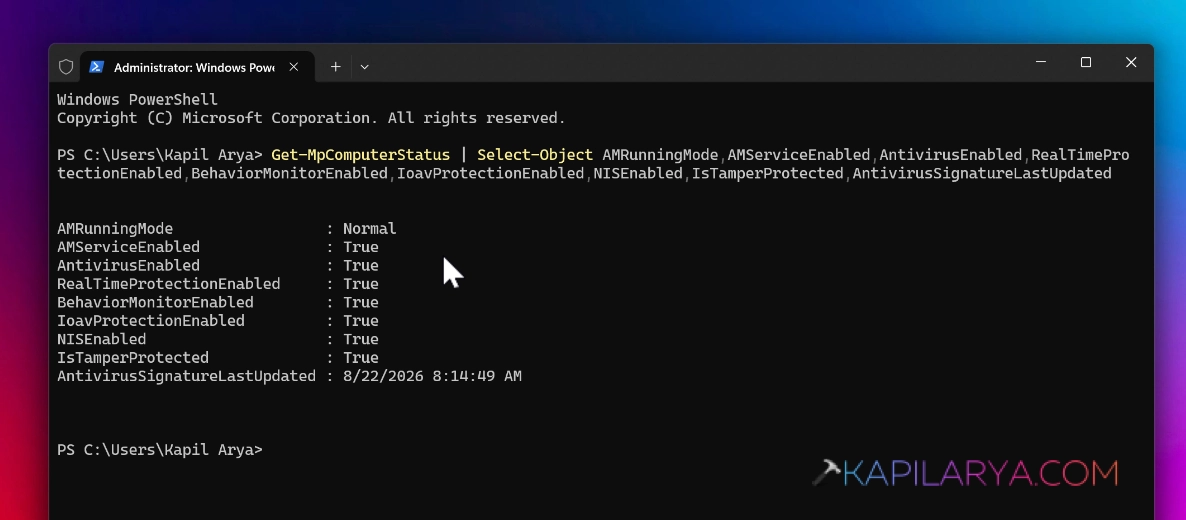
And even if you check with the Windows Security app, you will see no action needed. All the tiles in the dashboard for Windows Security having green tick.
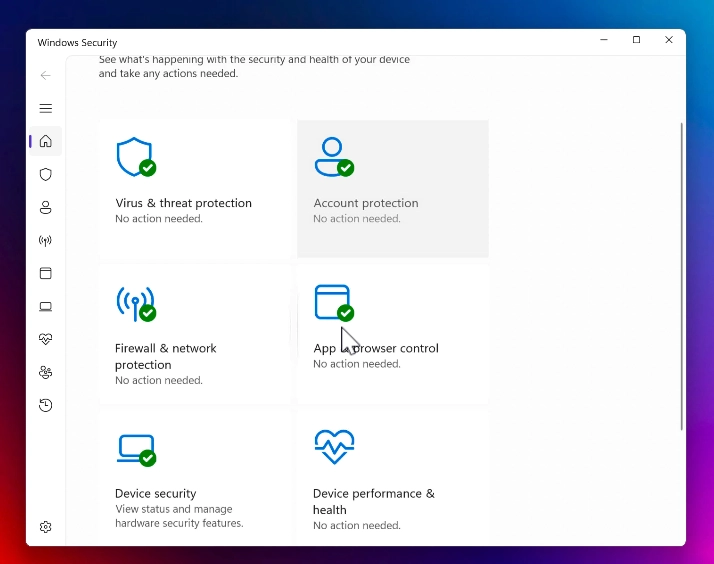
If both of these conditions are true, you do not need to worry about this issue. Under the circumstances, we can call this is a fake or false notification issue and classify it as a “bug”.
This might have been introduced after Cumulative updates for July or August. It seems that Microsoft has also acknowledged this issue, and hopefully they would be working on a fix.
If that’s true, we can expect a fix for this annoying issue from upcoming cumulative updates for September. Till then, you can keep ignoring these notifications. Additionally, a feedback (https://aka.ms/AA1324ht) has been submitted to feedback for the same issue. In the meanwhile, you can also upload the feedback, so that this issue gets noticed by Windows engineering team and resolved on priority.
Update (18/09/2026)
Microsoft has finally fixed this issue. According to Microsoft Windows release health dashboard update (https://learn.microsoft.com/en-us/windows/release-health/resolved-issues-windows-11-25H2#august-2026):
After installing the latest updates for Microsoft Defender Antivirus, notifications might appear stating that “Microsoft Defender Antivirus is turned off,” even though the antivirus is functioning correctly and all settings show it as active. These notifications can appear when Windows starts and intermittently afterward. They persist even if notification settings are turned off.
This issue can be observed in any version of Windows or Windows Server with Microsoft Defender Antivirus running with the latest Defender updates.
Resolution
To resolve the issue, affected users need to update or install the Microsoft Defender Antivirus update (version 4.18.26080.4). Usually, if you download latest definition updates, Windows Security will automatically download this latest update and the issue will be resolved.
That’s it!