

Windows PowerShell is a great feature in Windows to execute advanced cmdlets. Whether it is the matter re-registering apps or running Windows Defender scans or is the case of installing specific Windows Updates, PowerShell works great in all departments. But sometimes PowerShell may not be working properly and crash with following message:
Page Contents
powershell has stopped working
A problem caused the program to stop working correctly. Windows will close the program and notify you if a solution is available.
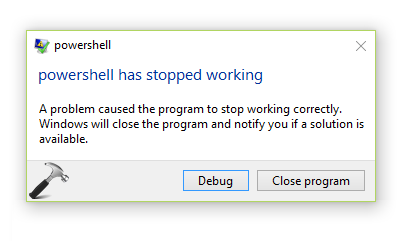
If you’re also facing this problem frequently, here is how to deal with it.
FIX : Windows PowerShell Has Stopped Working In Windows 10/8/7
FIX 1 – General Suggestions
Since this issue may be caused due to variety of factors, the resolution also requires different approaches such as:
1. Most common cause may be the recent updates or simply corruption of files. So try the System Restore to go back to last good configuration and see if it helps.
2. This could also be due to heavy memory usage on the machine. You can review this in the Task Manager, while Windows PowerShell is in the play. To resolve, try increasing the paging file size as mentioned here.
3. Another reason might be corrupted user profile. Create a new user account and verify if PowerShell works fine on that.
4. Sometimes third-party antivirus or security suite installed on your machine may conflict PowerShell from working correctly. Temporary removal of such software may solve this issue. Making a clean boot will help you to check which 3rd-party software is culprit and thus you can remove them to finally fix up this problem.
5. Try the Autoruns tool and review the list of programs running at startup. If there is any program which is not digitally signed, you must remove that program and check status of issue.
FIX 2 – Via Optional Features
1. Open Control Panel and go to Program and Features. In the left pane, click Turn Windows features on or off link.
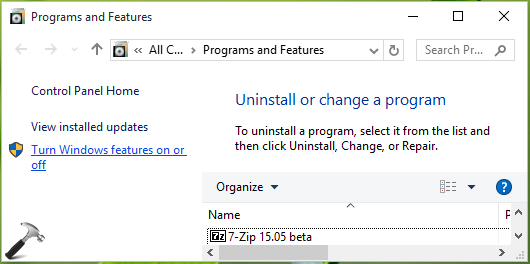
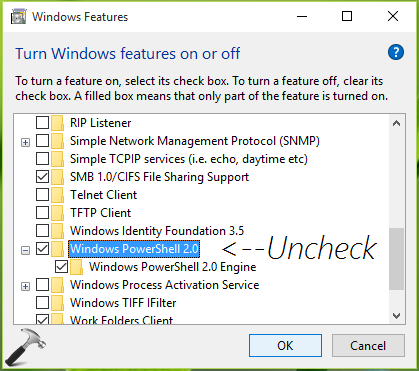
2. In the Windows Features window, uncheck Windows PowerShell 2.0 option and click OK.
3. Let Windows apply this change and click Close.
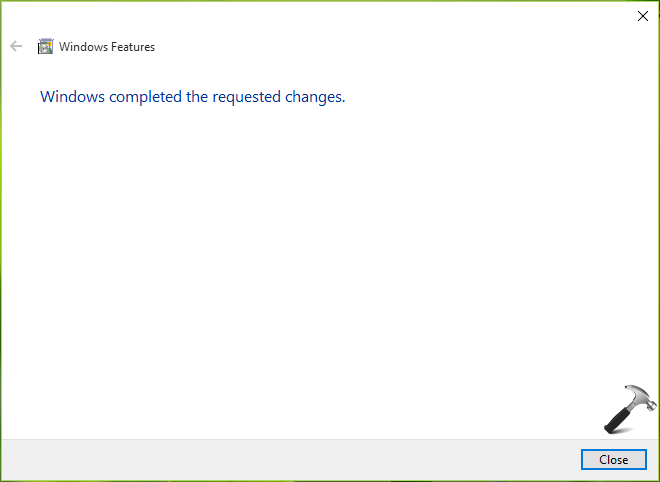
You should now get rid of stopped working message for PowerShell.
Hope this helps!


thanks for the useful tips, will try it!
^^ Awesome 😎