

System Image is another convenient option to restore your system to earlier date, in case if you don’t have System Restore points created. We’ve earlier shown how to create a System Image and restore it, under following guides:
How to create a System Image in Windows 10
How to restore a System Image in Windows 10
Now in this article, we’ll discuss about an issue where System Image restoration fails with following error:
Page Contents
The system image restore failed.
Windows cannot restore a system image to a computer that has different firmware. The system image was created on a computer using BIOS and this computer is using EFI.
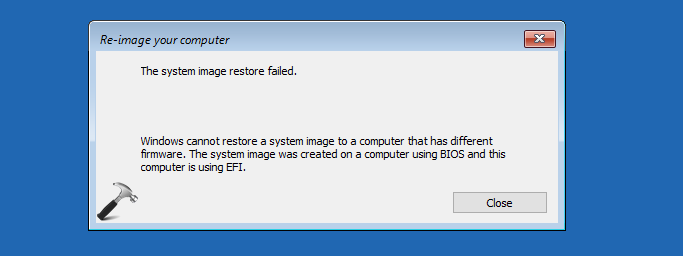
This problem might occur if you’ve changed booting mode between UEFI/BIOS on your system. It might also be possible that if you use any third-party tool, it might have changed that configuration. Since there are two type of schemes which Windows can use and they’re BIOS with MBR partition style and UEFI with GPT type partition style. This error is resultant of conflict between these partition styles, since they do not recognize either ones.
So if you’re also facing this issue while restoring your Windows 10, here is how to fix it:
FIX : Windows Cannot Restore A System Image To A Computer That Has Different Firmware In Windows 10/8.1/8
1. Open BIOS settings on your system. You can refer our guide, which will show you how to access BIOS settings for a computer.
2. After entering BIOS settings, on the Boot tab, highlight UEFI/BIOS Boot mode and hit Enter key. Now select Legacy and save the setup.
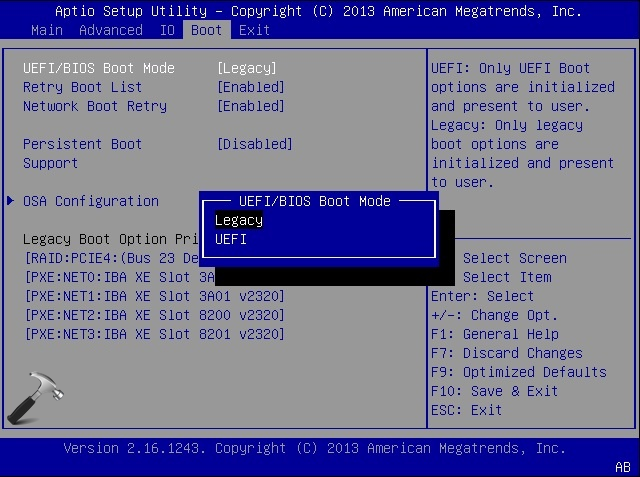
3. Restart your machine and re-try to restore the image now and it should work fine this time:
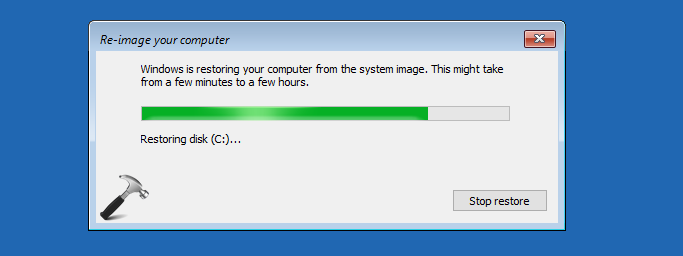
If you still have the issue, convert the disk into GPT without losing your data and then restore image.
Drop us a comment, if the problem still persists!
