Windows 11 is the latest version of Microsoft’s operating system, but one of the most common issues that users face is Windows 11 shutting down randomly, which can be frustrating and disruptive. This issue can occur due to various reasons, such as hardware problems, software conflicts, or outdated drivers. In this article, we will provide solutions to fix the issue.
Page Contents
Fix: Windows 11 shutting down randomly
Fix 1: Turn off sleep mode
Steps to turn off sleep mode:
1. Right-click on the Windows icon or press the Windows+X key together. Select Power Options.

2. Click on Screen and sleep. Select “Never” in On battery power, put my device to sleep after, and When plugged in put my device to sleep after.

Fix: 2 Update Windows 11
Steps to update Windows 11:
1. Right-click on Windows icon and click on Settings.
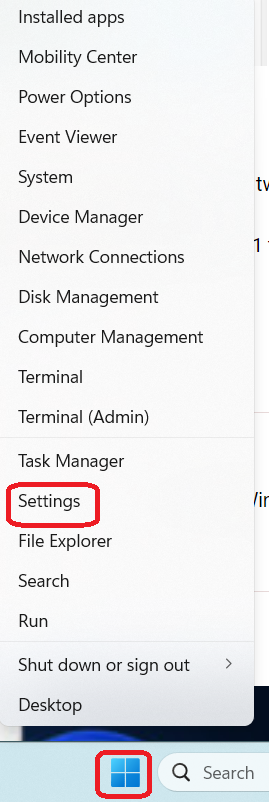
2. Click on Windows update.

3. Click on Check for updates.

Fix 3: Monitor your computer’s temperature
Steps to check your PC’s temperature:
1. Press Ctrl + Shift + Esc keys together to open Task Manager.
2. Click on Performance tab and check GPU. The GPU temperature less than 85 degrees is normal.
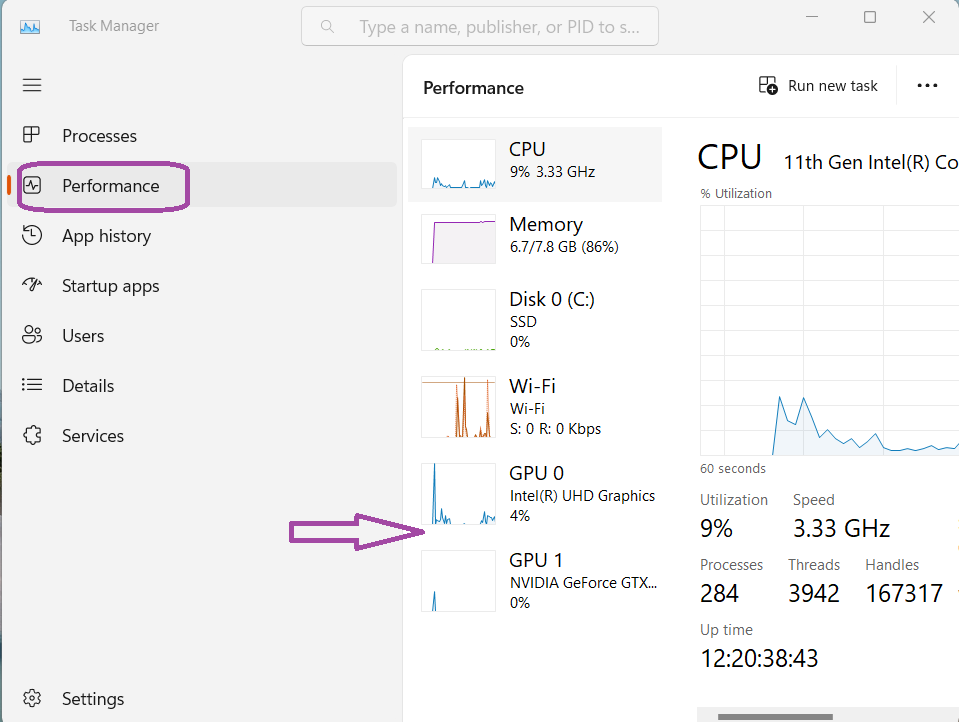
If still your computer is overheating, then clean your computer’s fans and other internal components.
Fix 4: Run Power troubleshooter
Steps to run Power troubleshooter:
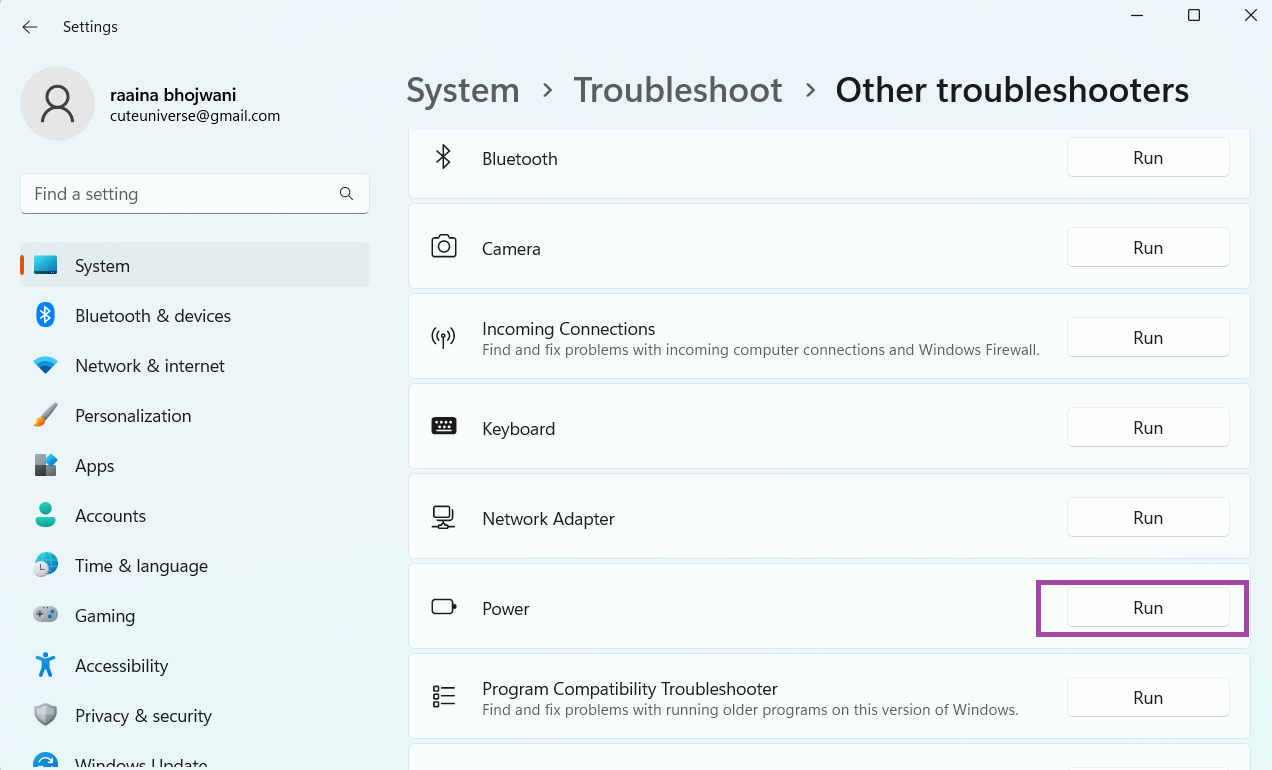
1. In the start menu type troubleshoot settings and hit Enter.

2. Click on Other troubleshooters.

3. Click on Run button in the Power section.
Fix 5: Scan for malware if Windows 11 is shutting down randomly
Use Windows Defender scan that will automatically scan for threats, viruses and malware and delete them. This might be the reason behind Window 11 shutting down randomly.
Hope this was helpful!