Windows 11 Version 26H2 is here and I’m sure most of you would want to install the update. But the problem is the update is not appearing in the Windows Update section of the Settings app. This could be because you do not have the prerequisites installed. In this guide, we will see how you can upgrade Windows 11 Version 26H2 using enablement package.
Page Contents
Upgrade Windows 11 Version 26H2 using enablement package
Basically the Windows 11 Version 24H2 and 25H2 shares common core operating system with an identical set of system files. The new features you would receive with Windows 11 Version 26H2, may be already shipped to your device with regular Windows Updates. These new features will remain inactive, until you apply the enablement package to activate them. Enablement package acts as a small, quick to install, “master-switch” that activates Windows 11 26H2 features.
When you are installing the update using enablement package, it’s a quick update instead of the full operating system update. This is because the enablement package only act as activation switch and does not provide the full version. The features may have been already delivered we are the previous updates.
For Windows 11 Version 26H2, you must have the following updates installed:
The required update is September 22, 2026 (KB5124010). This means you should be on OS Builds 26300.9550, 26200.9550, and 26100.9550 or later.
When you have the above mentioned update installed, you’ll then see Windows 11, Version 26H2 is available banner in the Settings app.
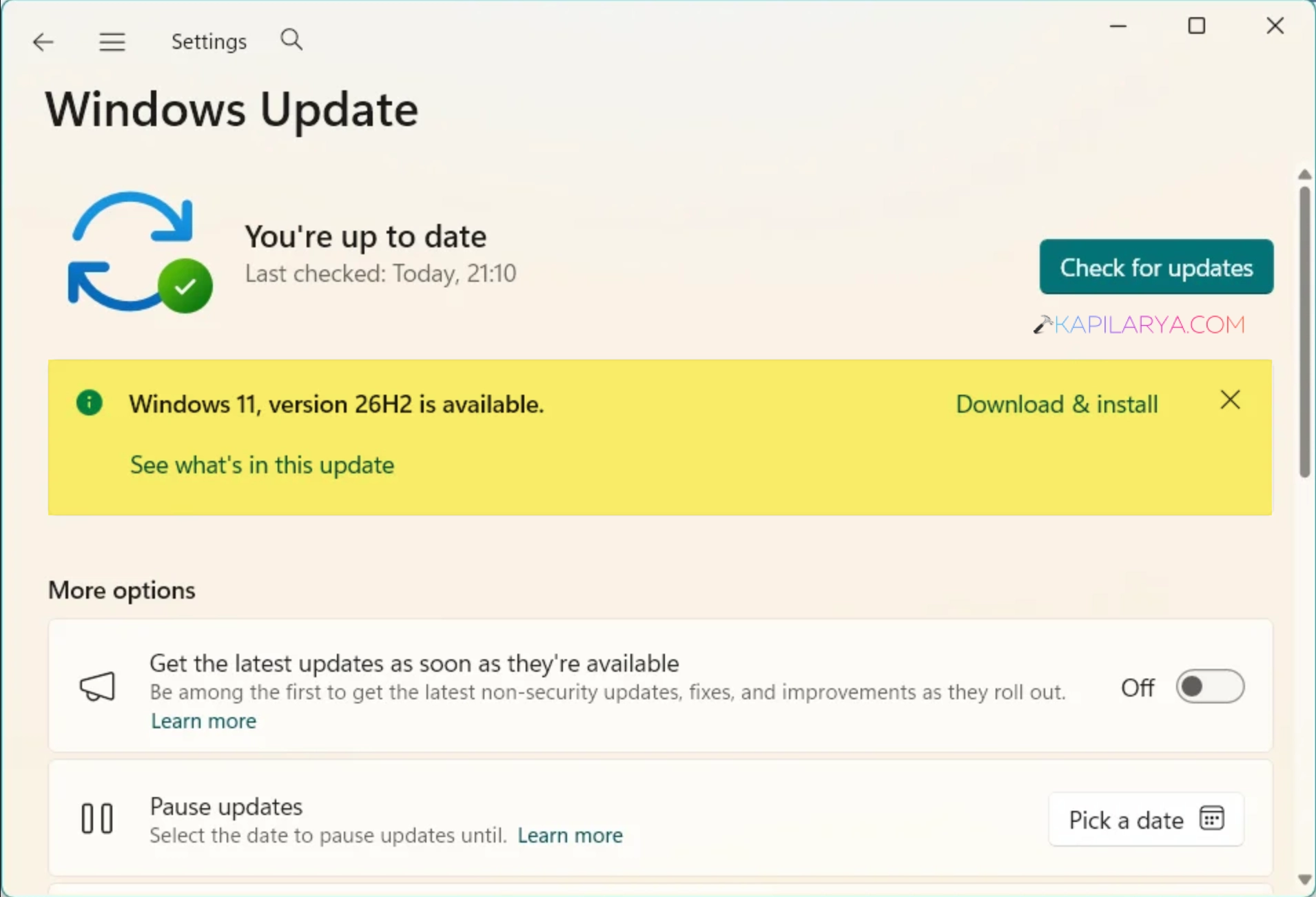
After clicking on Download & install, the upgrade will be installed via enablement package. Do not assume that it is a full update. Hence, you would also notice the update is completed quickly.
If you don’t see the Windows 11, version 26H2 is available, this is most probably you don’t have the September 22, 2026 update installed. It is highly recommended that you install the latest updates available to you and ensure the September updates are installed.
Even if you have the September updates installed and the banner doesn’t appear appears, you can also manually download the enablement package using the direct download link mention below:
In case if you’ve ARM-based device, try this download link instead:
Frequently Asked Questions
1. What is enablement package for Windows 11 26H2 and how it works?
Enablement package is a small update that activates Windows 11 26H2 features on your device. Those features may already be provided by previous updates, but they remain in inactive state. The enablement package would activate those features.
2. What is the size of enablement package?
It is a very lightweight update, having a size of 174 KB.
3. What is the update number for enablement package?
The update number is KB5121794.
4. Is enablement package free?
Yes it’s basically update, and it is available free of cost from Microsoft.
That’s it!