

If you’re using the latest iteration of Windows i.e. Windows 8.1, you might have noticed that the way to close Modern Apps in this edition has been changed. To completely close the app, you have to drag it towards the bottom and hold it for a few seconds, till it flips to display its icon.
Close Threshold : Customize The Way You Close Modern Apps
Today, in this article, I would like to introduce you with a small yet powerful utility to control the app closure with customized way. Our friend “Sergey Tkachenko” (WinAero) has developed this tool, named as “Close Threshold” using which you will able to do much smaller mouse movements / touch “swipes” to close any app. Also it can speed up the “flip to close” feature.
Set sliders to left, and it will be not necessary to drag Modern application to the bottom edge of the screen. After you click on “Apply & Restart Explorer” button File Explorer will be restarted and you will able to close Modern application near the top edge of the screen.
Here is the preview of this cool software:
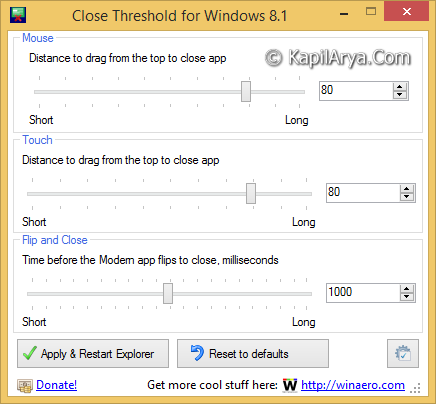
Following are the features this tool offers to you:
- To speed up Metro apps closing with mouse
- To speed up Metro apps closing with touch gestures
- To speed up the “flip to close” feature
Following video illustrates you this tool in action:
You can download this using following link:
http://winaero.com/download.php?view.71 [For Windows 8.1]
http://winaero.com/comment.php?comment.news.101 [For Windows 8]
Hope you enjoy the tool!

It works great sir thnk u for sharing this :)