

If you are having multiple issues on your Windows 11 system, you might get recommendation to Fix problems with Windows Updates. When you are fixing issues using Windows Updates, Windows will download the repair version of the current operating system. This repair version will help to fix the corrupted operating system files. It will not affect the apps, data and settings on the system. It will only replace the corrupted system files to make sure that your operating system works as it should.
But sometimes, when you opt to download repair version of Windows, it may not get downloaded. In this condition, you might spot Repair version of Windows not found error while downloading updates. In this article, we will see how you can deal with this situation.

Page Contents
Fix: Repair Version of Windows not found in Windows 11
Manual fix
To fix the repair version not found error, you can perform the equivalent repair upgrade using below mentioned steps.
1. Download Windows 11 ISO file using the steps mentioned in this article.
2. Once Windows 11 ISO file has been downloaded, just double click on it and mount it to a DVD drive.
3. Once the Windows 11 ISO has been mounted to the DVD drive, Double click on the setup.exe file.
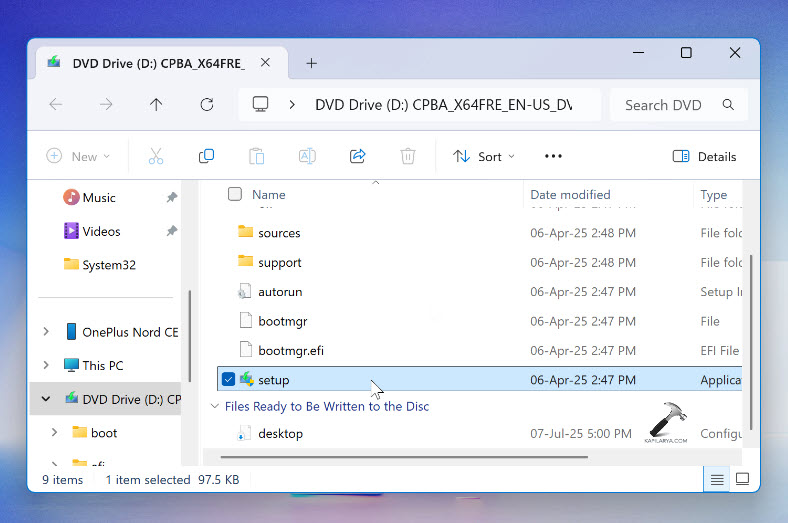
4. In the Windows 11 setup screen, click on Change how setup downloads updates.

5. In the next screen, select Not right now. If you like, you can uncheck the option I want to help make the installation better.

6. Next, you will be asked to accept the licensing terms. Just click on the Accept button there.
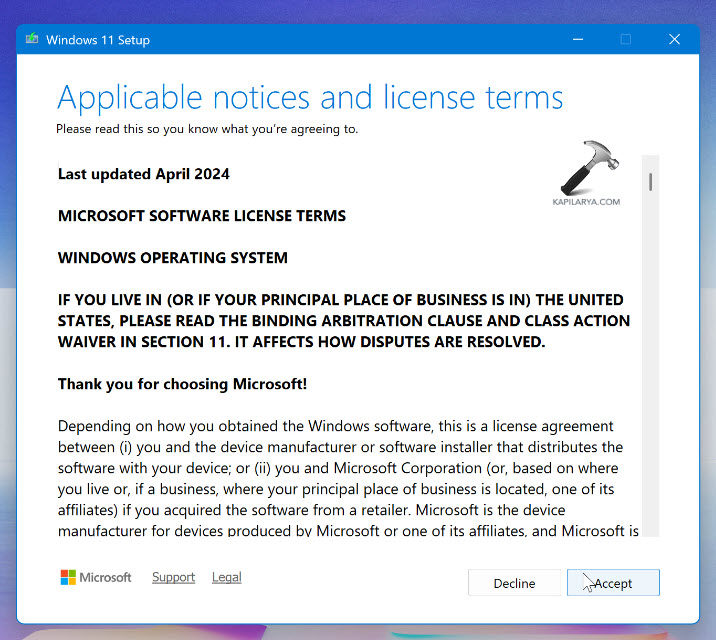
7. Now Windows will thoroughly check your system. And if everything is okay, you will be presented with Ready to install screen. Click on the Install button in this window.

After this Windows 11 will be reinstalled and the operating system files will be repaired, which will need to fixing of the multiple issues you are facing on the system.
In this way, we have resolved the error of repair version of Windows not found by performing the manual repair upgrade, which is equivalent to the repair version operation.
Video fix
Here’s a quick video guide to explain above mentioned steps:
That’s it!





Hello
The repair version was downloaded but couldn’t install due to TPM non-compliant. Any way to bypass? kb5043080 was also not installing for unknown reasons.
^^ What is the exact TPM error you’re getting?
This PC doesn’t currently meet Windows 11
system requirements
Here’s why:
The PC must support TPM 2.0.
^^ Check, if TPM is enabled in BIOS. TPM is basic requirement and should be enabled.