You might have heard Secure Boot Certificates expiring in Windows. We all know that Secure boot is a security feature in Windows 11. It is also one of the primary requirements for Windows 11. If your system is not secure boot capable, it may not be able to boot or install Windows 11. The secure boot feature ensures verification of digital signature of pre-boot software. This verification has been done with the help of already stored trusted digital certificate in device’s firmware. For Windows 11, UEFI based firmware is used.
The Microsoft Secure Boot certificates expiring in June 2026, which was earlier issued in 2011. So in order to maintain protection against new boot‑level threats, you must update Secure Boot certificates. In this guide, we’ll be talking about how to update them.
Page Contents
Secure Boot Certificates expiring in Windows 11
Once the Secure Boot Certificates expired on your Windows 11, still you will be able to install the regular updates. However, the new updates regarding early-boot process won’t be installed. As a consequence of this, the device would be vulnerable for early boot threats.
Here is what would be changing after the Secure Boot Certificates expire:
- Your device would be receiving the regular updates.
- The device will operate normally without any visual change.
- All the apps you use daily, all the features you use daily would be still working as usual.
- The new secure boot and boot manager protections will no longer be applied.
- The early boot environment fixes for features such as bit locker and security boot revocations won’t be available.
- If any third-party components on your device still rely on early boot certificates, the trust process may fail.
How to update Secure Boot Certificates in Windows 11
Manual guide
The Secure Boot Certificates in Windows 11 would be updated automatically by Microsoft automatic updates. The Microsoft is using phased approach to install this Secure Boot Certificates on your device.
So if you are installing the regular updates, you might have received the Secure Boot Allowed Signature Database (DB) Update as shown in the screenshot below.
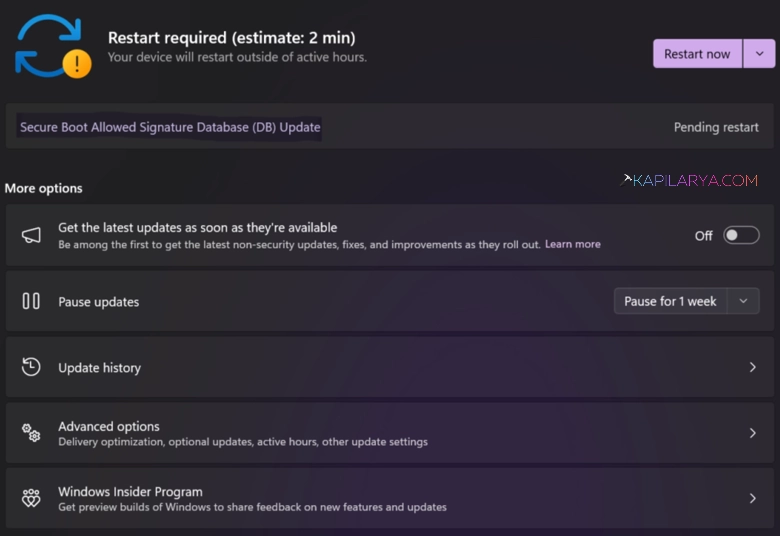
This update is automatic like any other update in Windows 11. It would be automatically downloaded and installed without requiring any action from the user. Once the update has been installed, you can spot it inside the Windows Update history.
Steps to allow manual update
1. Open Terminal (Admin).
2. In admin Command Prompt tab, execute:
reg add HKEY_LOCAL_MACHINE\SYSTEM\CurrentControlSet\Control\Secureboot /v AvailableUpdates /t REG_DWORD /d 0x5944 /f
3. In admin Windows PowerShell tab, execute:
Powershell -command Start-ScheduledTask -TaskName "\Microsoft\Windows\PI\Secure-Boot-Update"
4. Restart your system.
5. In Terminal (Admin) > admin Command Prompt tab, execute:
reg query HKLM\SYSTEM\CurrentControlSet\Control\Secureboot /v AvailableUpdates
6. If you see the value of AvailableUpdates becomes 0x4100, then again type below in admin Windows PowerShell tab, execute:
Powershell -command Start-ScheduledTask -TaskName "\Microsoft\Windows\PI\Secure-Boot-Update"
7. Restart your system.

Verify if you have Secure Boot certificates update installed
To verify if you have already installed the Secure Boot Certificate update, you can simply open the Settings app. In the Settings app, go to Windows Update section > Update history. Under Update history, expand other updates and you will be able to locate Secure Boot Allowed Signature Database (DB) Update.
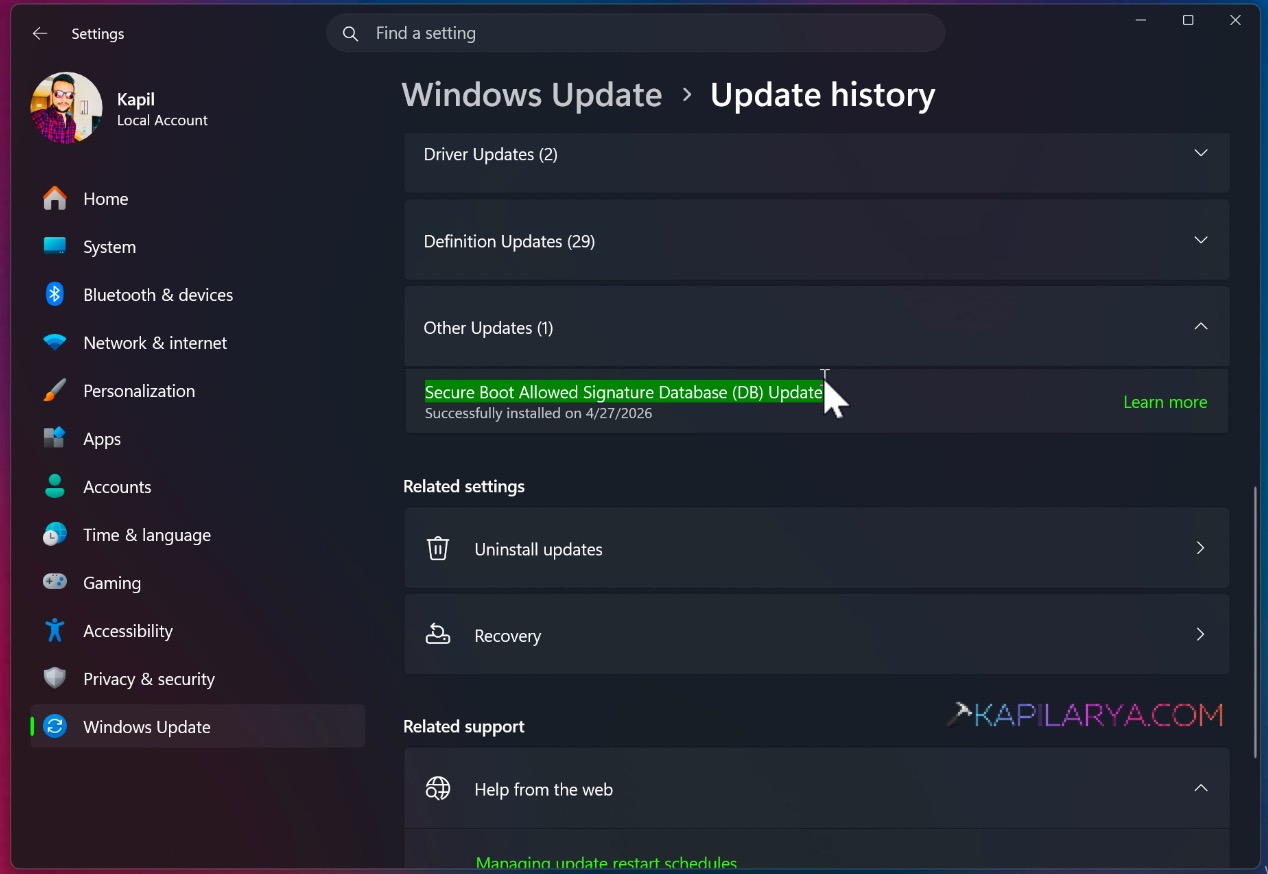
The secure boot certificate update will not be installed, in case if you have Secure Boot completely disabled.
Microsoft has not unveiled the exact date in June 2026 for the expiration of secure boot certificates. However, most of the sources on Internet are claiming the date of 23rd June 2026. It is highly recommended that you update the Secure Boot certificates before this date.
Usually updating the Secure Boot Certificates using Windows update is the recommended process. But some systems may require additional firmware updates. It’s better to check with your device manufacturer, in case if additional firmware updates are required. Most of the third-party device manufacturer or Windows PC partners, may also facilitate this additional update.
Video fix
You can also refer this video guide for more information on this:
That’s it!