

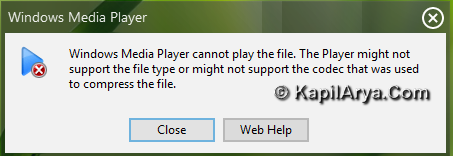
Consider the following scenario. You have installed a new operating system. Now if want to you run some multimedia files (the codec of whose is other than defaults of Windows Media Player), it won’t run on your PC. So you can’t view or play that media on WMP. Now what to do? How to make that file executable for WMP?
Don’t worry! We are going to fix this issue easily in this article. Meet Win7Codecs, a specially designed codec pack to sort out the codecs issue for WMP.
Win7Codecs: Complete Collection Of Codecs For Windows Media Player
It is worth noticeable here that Win7Codecs does not alters or interfere the native support provided by Microsoft for WMP. I’m talking here for both WMP and Windows Media Center. Also alternative hardware acceleration [DVXA (H264 Codecs)] is provided by Win7Codecs to enhance performance of all other players along with WMP.
Following formats are supported with no problem after installing this codec pack:
amr, mpc, omr, divx, mka, ape, flac, evo, flv, m4b, rv, mkv, ogg, ogv, ogm, rmvb, xvid, 3gp, mp4, mpeg, mpg, avi, rm and many more.
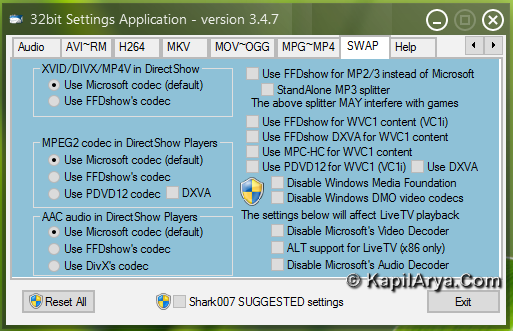
After installing Win7Codecs, you will get a settings application to use the codecs in parallel with WMP. The application will also allow you to choose from 10 different speaker configurations from “same as input” and all the way up to full 7.1 channel output.
You can download the latest version of Win7Codecs using at http://www.majorgeeks.com/Win7codecs_d5959.html and fix all your codec related issues with WMP.
That’s it!

that’s great. but i have a confusion is it safe to use 3rd party tool for wmp ? anyaway nice share
Its nice solved much of my probs ;O
Thanks for posting in :)
@maidy: it is safe to use n creates no additional errors.. u can try it
sounds good!!
no words to say… just simply love your blog :D