

Few days back we told you about the release of Office 2016 for Mac preview, which you can read here:
Get Office 2016 For Mac Public Preview For Free
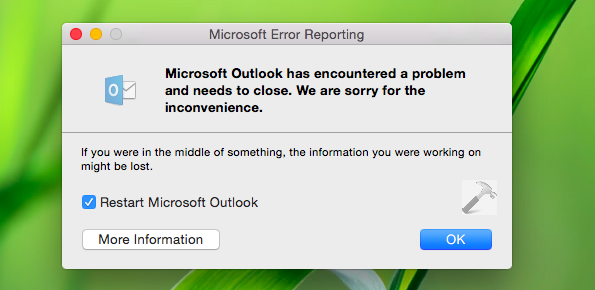
After installing above mentioned preview edition of Office 2016 for Mac, I realized that Outlook never starts and crashes while doing so. Although, the other components shipped in same package, i.e. Word, PowerPoint, Excel and OneNote worked flawlessly. Its the Outlook only which refuses to open with following error message:
Page Contents
Microsoft Outlook has encountered a problem and needs to close. We are sorry for the inconvenience.
If you’re in the middle of something, the information you were working on might be lost.
After investing a bit, I observed that the root cause behind this problem is Outlook component of previous edition which was installed on same machine. In my case, I had Office 2011 for Mac already installed. So the settings importer of both Outlook for Mac editions caused such this hitch.
If you’re too victim of this issue, here is how you can fix it.
FIX : Microsoft Outlook Has Encountered A Problem And Needs To Close
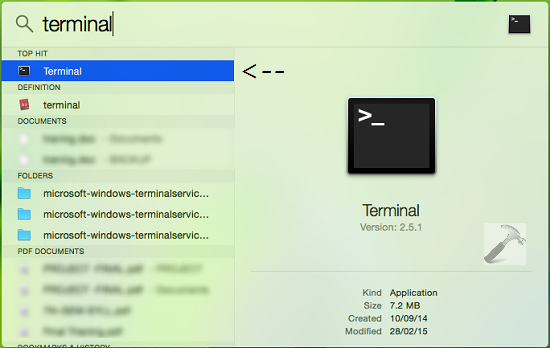
1. On your Mac desktop, hit the search icon at a top right corner of screen, and type terminal in the spotlight search box so appears. Pick Terminal from results.
See : Getting Started Guide With Mac OS X Yosemite
2. In the terminal window shown below, type following commands one-by-one and hit Enter key after each:
defaults delete com.microsoft.outlook
killall cfprefsd
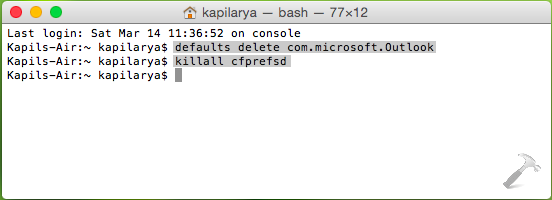
Close the terminal window now.
3. Next, try to open Outlook for Mac. Select Not now option/link when you reach this screen:

In this way we’ve denied to import any data from previous install and already flushed existing data stored on machine. Thus finally you can attempt to open Outlook for Mac, and this time it must start without crashing, as expected.
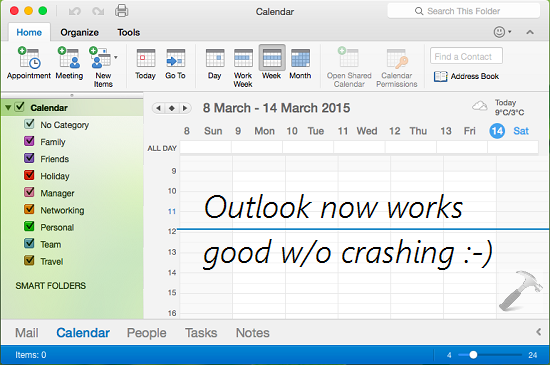
Hope this helps! Go here to learn how to add “Permanently Delete” option to file and folder context menus in Mac.


After following the instructions, I still get the same error. Any suggestions?
After 7 re-boots & getting access to a private WiFi (instead of a public but password-protected WiFi), I was finally able to get MS Outlook for Mac 16 reopened. Thanks!
^^ That’s great Henry, thanks for sharing!
Worked like a charm to fix my Outlook problem. Thanks for posting these instructions.
^^ Glad we could help 😎