

When you’ve to install new Windows operating system (OS) to your machine, either you can make clean install or perform an upgrade to existing Windows OS. Both ways are covered under these links:
How to make clean install of Windows
How to upgrade your existing Windows OS to upgraded edition
While upgrading, if something is wrong with the registry configuration on your machine, the installation of newer OS may fail. This article addresses one such issue in which users receive following message:
Page Contents
The computer restarted unexpectedly or encountered an unexpected error. Windows installation cannot proceed. To install Windows, click “OK” to restart the computer, and then restart the installation.
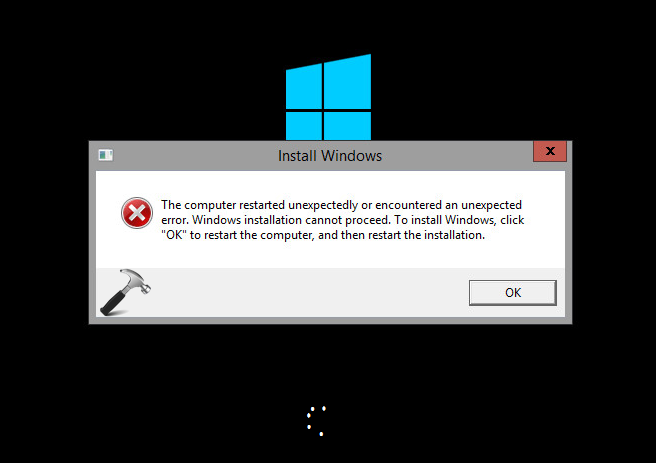
In this case, no matter how much time you click OK and re-start the installation, same message keeps appearing and you’re entered into an endless loop of this error. After researching a bit on this problem, we found a quick registry fix that can help you to resolve this issue very easily. Here is how:
The Computer Restarted Unexpectedly Or Encountered An Unexpected Error. Windows Installation Cannot Proceed For Windows 10
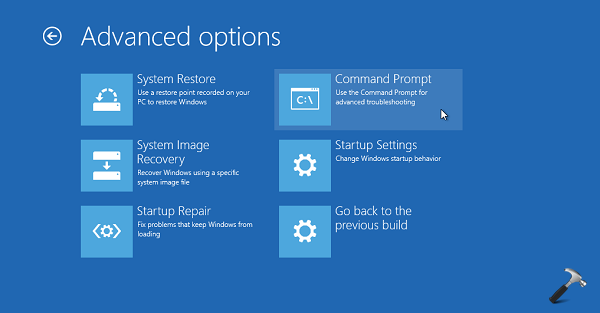
1. Boot into System Recovery Options. Hit the Command Prompt entry at following screen:
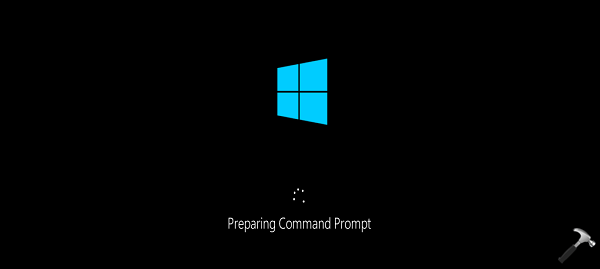
2. Previous step will result in opening of Command Prompt at boot.
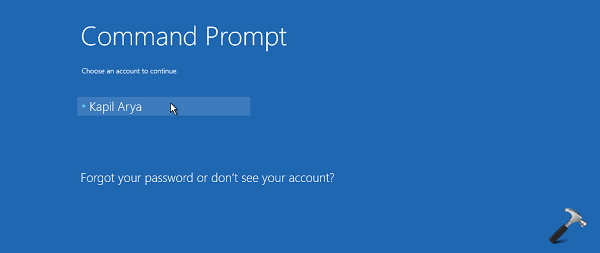
3. Select your admin account and enter your selected account password to continue.
4. Now in the Command Prompt window, type regedit command to open Registry Editor. In the Registry Editor window, navigate to this key:
HKEY_LOCAL_MACHINE\SYSTEM\Setup\Status\ChildCompletion
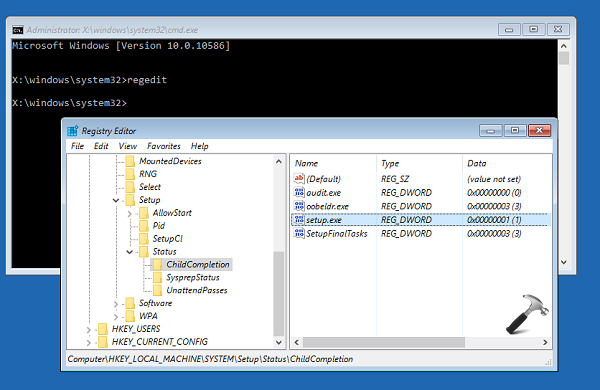
5. In the right pane of ChildCompletion folder, look for setup.exe named registry DWORD (REG_DWORD), the value for which might be corresponding to 1. Double click on that same DWORD and change its Value data to 3 (refer below screenshot). Click OK. Close Registry Editor and Continue to your existing operating system.
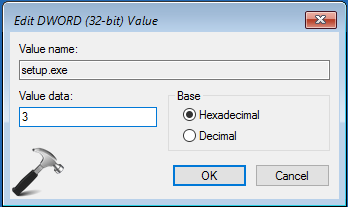
You can now restart the installation and this time error won’t appear.
Hope this helps!






it works until the end for me i do not have the file that i need to change instead i only have the one with no value how can i fix this
^^ Did you find setup.exe DWORD under ChildCompletion folder?
Problem on windows 10 installation.
I’ve done every stage you advised properly , a warning error is no longer there , but the windows installation only runs to 64%, and it keeps recurring. Please help me to fix it…
^^ The only option left now is to make clean install. You can do it on any other parallel drive. Then backup all stuff from original drive to new drive. Then format original drive and start using newly installed OS :)
That is great, but how do you break out of the loop to get to the System Recovery Options?
Thanks
^^ You can break the loop by disconnecting installation media after restart. This will let Windows to boot existing OS, you can then access Advanced Recovery Options to perform steps and finally reboot by plugging install media, complete installation then.
I have the same problem, only runs to 64% and I don’t understand how can I do the backup if the computer is blocked in this point. Please help me?
^^ See if suggestions mentioned here helps you: https://www.kapilarya.com/fix-windows-10-upgrade-stuck-at-99-percent
i did not find status under setup setup.exe DWORD under ChildCompletion folder?
^^ You can manually create those values.
I, like many others here, changed the value from 1 to 3 and now can’t get back to REDEDIT to change anything else. Stuck in the 64% loop.
ok thank bro.its helpful
^^ Welcome!
I’m having this issue but I cannot even access the command prompt. I have tried Shift + F10, and Shift + F10 + fn.
I have a Microsoft Surface Pro 4.
The only keys that seem to be working are Esc. And Enter. They both just restart (refresh) back to the same page. Please help 😩😩
^^ Boot from the install media and then choose ‘Repair your computer’. Then proceed Troubleshoot > Advanced Options. Now go aheaed with steps mentioned here.
I cannot find a status folder under setup?
do you guys have a video that I could watch? I’m a visual and aural learner
^^ Not at the moment 😥
I don’t even have Status in HKEY_LOCAL_MACHINE\SYSTEM\Setup\Status\ChildCompletion
Do I have a fix for the same error in macbook air ?
^^ Same fix applicable, for Windows 10 on Mac.
Can someone help me? I’m about to cry.😢 I have a same problem w/ my pc, every time I click the okey sign, it’s keep turning off then on again. Huhu What should I do? Notice me please.😢
You litteraly save me tysm men
^^ Glad to help!
Hi, when I enter the esc menu, and select system recovery with F11, it just sends me straight back to the error message?
After doing this my PC doesn’t let me put it into sleep mode anymore. What could be causing the issue? When i put it into sleep mode or turn it off it just turns back on shortly after. I have to manually hold down my power button in order to shut it off.