

Windows 7 start menu is designed to display the most recently used programs. It is so useful for us because using this we do not need to access the program location on computer again and again. One more advantage of start menu is that it displays all programs list which is most necessary for a computer user.
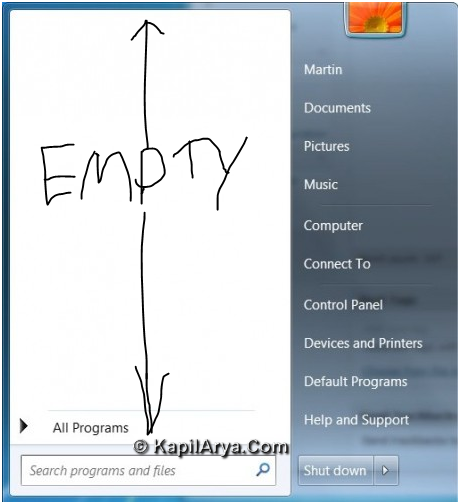
But what to do if one day you found that there is nothing in the start menu! Now what to do? Here comes the solution. Follow the below steps, and you’ll have your start menu items back:
FIX : Start Menu Items Disappeared In Windows 7
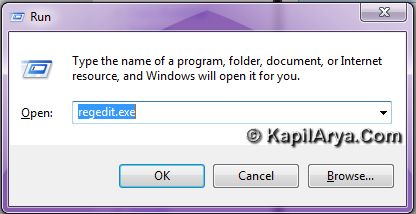
1. Press  + R and put regedit.exe in Run dialog box to open Registry Editor (if you’re not familiar with Registry Editor, then click here). Click OK.
2. Now navigate to the following location:
HKEY_CURRENT_USER\Software\Microsoft\Windows\CurrentVersion\Explorer\Advanced
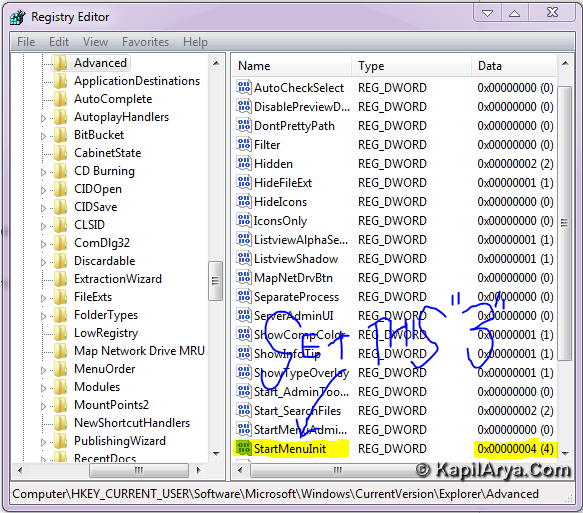
3. In the right pane, checkout the value for the registry DWORD StartMenuInit. Right click on this REG_DWORD and select Modify.
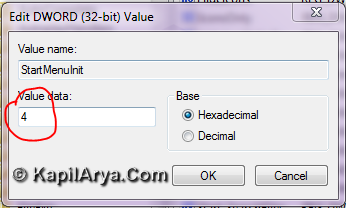
4. Put the value data 3 in place of whatever value it have. Most probably it will have 4 or 9 as predefined value. Reboot and problem should be fixed.
That’s it!



oooh! So cool..
mine dword value is showing 8!
absolutely f9, well I knew it already :)
hi kapil!
i h’ve a serious prob.
there is an syntax error in command line on my 7 any idea to fix it?????
waitn 4 reply.
^^ Checkout the Microsoft Support:
http://support.microsoft.com/kb/952211
excellent post here! Stumbled!