

PIN has been handy sign-in option available in Windows 10. Devices with Trusted Platform Module have Windows Hello PIN backup up by the hardware. This means, if someone knowns your PIN, they can’t utilize it in absence of the device. They would essentially need the device, because the PIN is tied to device.
However PIN tied to device may not usable sometimes because of changes in the hardware. In this scenario, one may see following message at the login screen:
Page Contents
Something happened and your PIN isn’t available. Click to set up your PIN again.
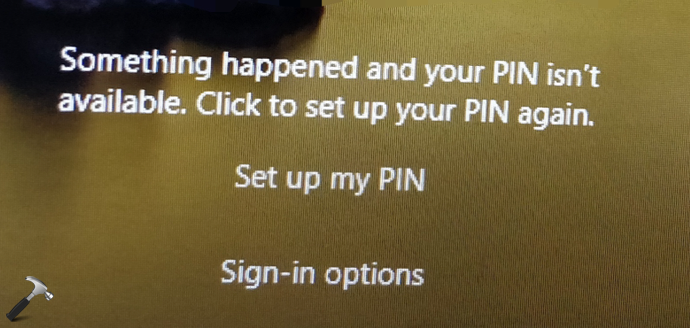
Some users received above message may not have Sign-in options link on the login screen. This creates extra trouble for them and they need to follow extra steps to solve this problem. If you’re also facing this issue, please refer fixes mentioned below.
FIX: Something Happened And Your PIN Isn’t Available
CASE 1 – If You Know The Password
If you know your Microsoft account or local account password, things will be quite easy for you. Simply click on Sign-in options and choose the password and login. After login, you can remove existing PIN and then add a new PIN.
In case, if above doesn’t helps, go to BIOS settings of your device and check if secure boot is turned on and legacy boot is off. This configuration may solve the issue immediately.
CASE 2 – If You Don’t Know The Password
Those users who were not helped by FIX 1 and they don’t have Sign-in options link at login screen, try to boot into Safe Mode first. Try the fixes mentioned in this article and check if you can add newer PIN then. After adding new PIN, the issue will no longer present.
Still, if you can’t boot into Safe Mode, you may need to reset your device without affecting personal data.
Hope this helps!


Hi Kapil, for me it seems “the pin isn’t available” message is coming because I made some changes to my startup (using command msconfig). Now I am unable to access my laptop as its not taking the password. I tried resetting my password but seems my laptop isn’t connected to network either. When I try to repair, it keeps asking me for the password. Hence I am unable to repair the same. I have some critical data and there is no recent restore point to which I can revert. Can you please help. Its urgent!!! Appreciate if you can respond.
^^ If you selected to disable all MS services in MSCONFIG, you possibly bricked the installation. Unfortunately, you need to make clean install to fix this.
My problem is getting a code sent to the proper phone number. My home phone doesn’t accept code. I have a cell phone number that needs to be changed in order to receive a code.
I did the exact same thing as Srijan described and have the exact problem. Can anyone help? How do I do a clean install? Can anyone take me through the steps? Thank you.
^^ This guide is for you: https://www.kapilarya.com/how-to-make-clean-install-of-windows-10.