Should I upgrade my PC to Windows 11 2025 Update (Version 25H2)? This is the question that all Windows users appear to be asking at the moment.
One of the most anticipated releases of Windows 11 by Microsoft is the 25H2 update, which is expected to offer a combination of exciting new features, enhanced security, and improved system performance. However, the fact that a new update is out does not necessarily imply that you should install it right away.
This article will discuss what Windows 11 25H2 has to offer, whether you should upgrade or not, and how to safely upgrade in case you choose to do so.
Page Contents
What’s New in Windows 11 25H2?
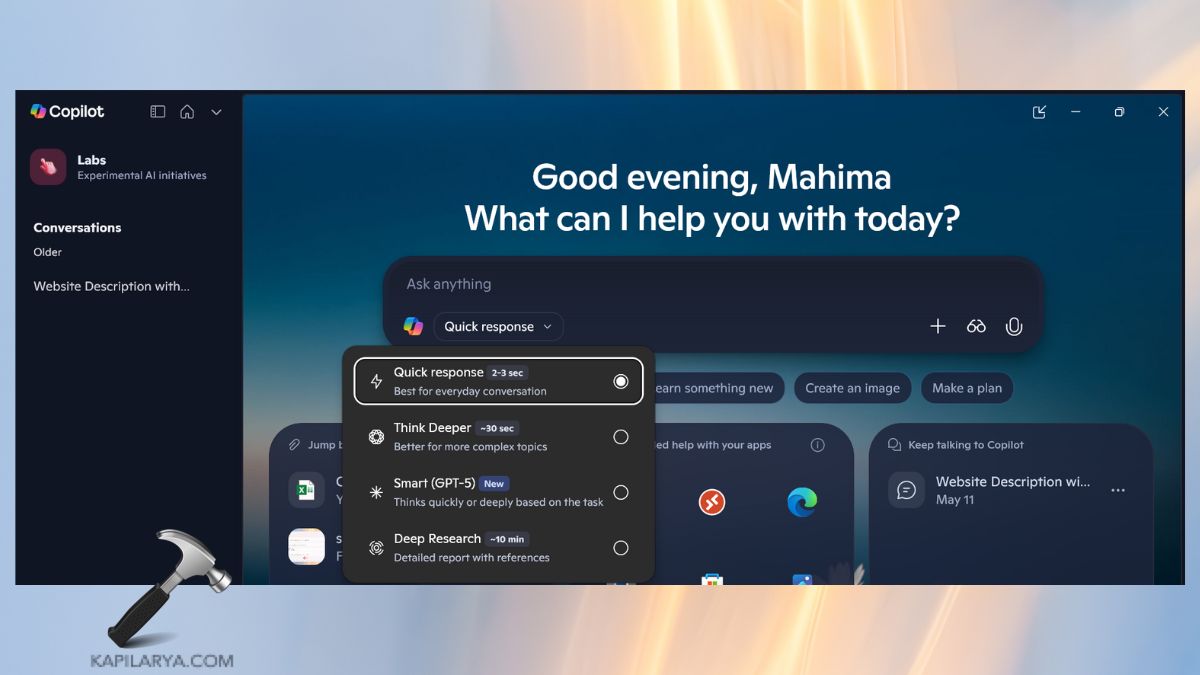
The 25H2 update is not just a patch; it is a feature-rich release that aims to improve user experience. Among the most significant highlights is the increased integration of Copilot, the AI assistant created by Microsoft, which now has a more prominent role in assisting users in navigating and carrying out tasks more effectively.
You will also see the enhancements in File Explorer and Widgets, which make Windows 11 more user-friendly than ever. In addition to the design changes, Microsoft has also added several security improvements. In terms of performance, 25H2 claims a faster boot time, easier multitasking, and a more consistent overall experience, particularly on current PCs.
To see a complete list of features and improvements, see this comprehensive breakdown of what’s new in Windows 11 Version 25H2.
Should You Install Windows 11 25H2?
The brief response is: it depends. When you have a more recent device that completely satisfies the system requirements of Windows 11, it can be a good idea to upgrade now. You will have access to the newest features, a more refined design, and increased security. To users who use AI-based applications like Copilot, the update is even more attractive as it allows them to complete daily tasks faster and more easily.
Though companies must take the update with caution, as implementing it too early might cause disruptions in workflows, as applications or drivers may not react well to the new version.
You Should Upgrade If:
- You desire the newest security features and performance enhancements.
- You have a new or compatible PC that fits the requirements of Windows 11.
- You use Microsoft Copilot and AI applications to be productive.
Risks of Installing Windows 11 25H2 Now
Any significant Windows release is risky, and 25H2 is not an exception. Some users are already reporting issues such as the Windows 11 25H2 update not showing in Windows Update, which can be frustrating for those who want to install it now.
There is a risk of driver incompatibility with some users, particularly with older hardware that may not be updated on a regular basis by the manufacturers.
Software compatibility is another typical problem with large updates. Applications, particularly older or specialized ones, might not yet be optimized to 25H2. This may cause crashes, errors, or decreased functionality.
To top it all, new features are occasionally released with undetected bugs that Microsoft corrects in subsequent patches.
You Should Wait If:
- Your PC has important business applications that can be incompatible.
- You worry about bugs and glitches that usually accompany major updates.
- Your system is older or near the minimum requirements, which can influence stability.
Install Windows 11 25H2 Safely
In case you have made up your mind to upgrade, then you should install the update properly. You can find step-by-step instructions here to download and install the Windows 11 2025 Update (Version 25H2), which has been officially released by Microsoft and you can get the step-by-step instructions there to download and install.
Microsoft also provides an enablement package for this release, which makes the upgrade process quicker and more dependable for qualified devices. In case you are not sure where to begin, you can use this step-by-step tutorial on how to install Windows 11 25H2 enablement package.
Always remember to save your files, update your drivers, and run the PC Health Check app to check the compatibility of your PC before upgrading.

Frequently Asked Questions (FAQs)
That’s it!