Microsoft Edge – The Internet Explorer Modern App Alternative
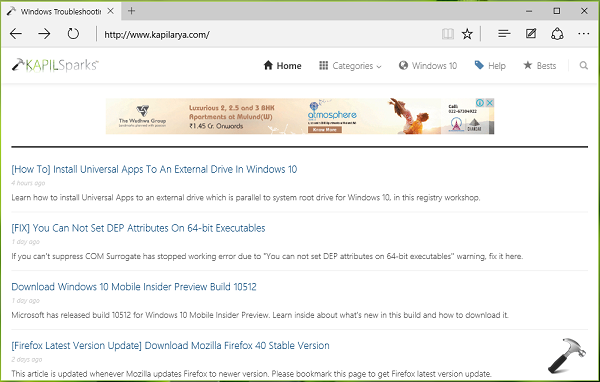
Microsoft Edge is the default browser for Windows 10. This newly introduced browser is a replacement of Internet Explorer Modern App introduced with Windows 8. There are many new stability and performance improvements and browsers looks quite challenging against other browsers already in the market.
You can read the complete review of Microsoft Edge in following article:
[REVIEW] What’s New In Microsoft Edge
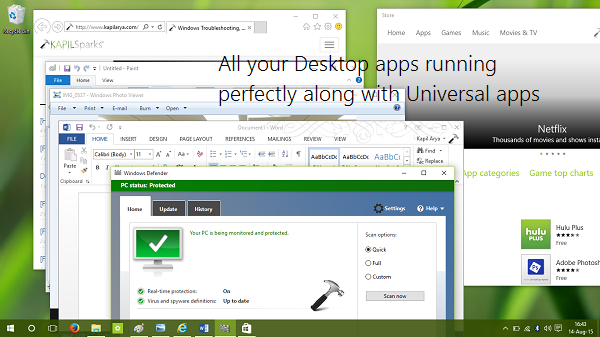
All your Desktop apps will work perfectly on Windows 10
99% of Desktop apps that worked on your Windows 7 or 8 or 8.1, will work perfectly on Windows 10. Add to this, the Desktop app(s) can share same screen where an Universal app(s) is running. Hence in this way, you can make run two different generation apps, on the single screen.
All your previous Desktop apps are also present in Windows 10. However, Windows Photo Viewer seems hidden by default, which you can enable using steps mentioned here:
[How To] Open Images With Windows Photo Viewer In Windows 10
Ability to downgrade to previous OS or build and reinstall without affecting apps plus files
If you have issues with Windows 10 or if you don’t find it according to your expectations, you can easily restore your previous version of Windows. The setting for this is located at Settings app > Update and recovery > Go back to an earlier build/Windows 8.1/Windows 7.
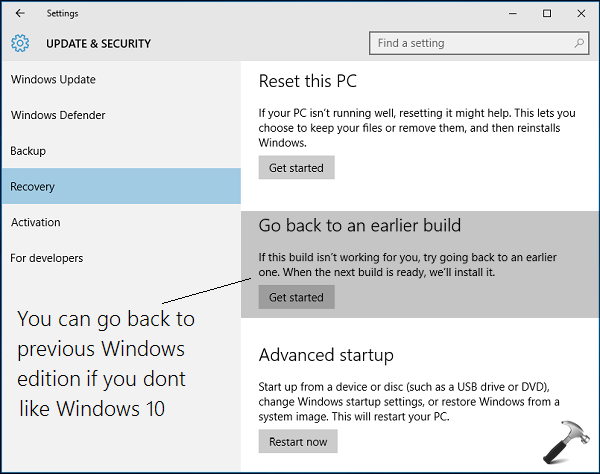
This is called Windows Rollback feature. However, keep in mind that you must have Windows.old folder present in order to downgrade to previous OS from where you upgraded to Windows 10.
You can also reinstall Windows 10 anytime without affecting your personal files and apps, if you’re having multiple issues:
[How To] Reinstall Windows 10 Without Affecting Personal Files
So this is all about what’s new in Windows 10. Now lets see what are the known issues present in this OS right now and how to fix them.
Known Issues In Windows 10 And How To Fix Them
Following is the list of known issues and links mentioned against will help you to read about them and their cure:
1. Cortana is not working = [FIX] “Something Went Wrong. Try This Search Again” Error For Cortana
2. No sound after upgrading to Windows 10 = [FIX] Audio Not Working After Upgrading To Windows 10
3. Camera app not working = [FIX] “Something Went Wrong” While Using Camera App In Windows 10
4. Can’t change PIN = [FIX] “Something Went Wrong. Try Again Later.” While Changing PIN In Windows 10
5. Store gets opened when you open Settings app = [FIX] Settings App Doesn’t Opens Or Launches Store In Windows 10
6. Store app not loading = [FIX] “Try Again Later. Something Happened On Our End” For Store App In Windows 10
7. Server Stumbled error for Store = [FIX] Error 0x80072EFD – The Server Stumbled For Windows Store
8. Start button not working/Start Menu or Screen not opens = [FIX] Start Button Not Working In Windows 10
9. Can’t install RSATs = [How To] Install Remote Server Administration Tools (RSAT) In Windows 10
10. Low memory warning = [FIX] “Your Computer Is Low On Memory” Warning In Windows 10
That’s it guys for now. I Hope you’ll too enjoy Windows 10 like me!